
CATEGORIES

You Have a Voice. What’s Your Story?

Real stories, honest thoughts and dreams taking shape. Our young people are finding their voice through writing, sharing who they are and exploring who they could become. Some write in their own name. Others write anonymously. Every voice matters, including yours.

You don’t need to be a writer or have all the answers. Share your experiences, your challenges or the future you dream of, and we’ll help you put your story into words. Share Your Story

BLOG & NEWS

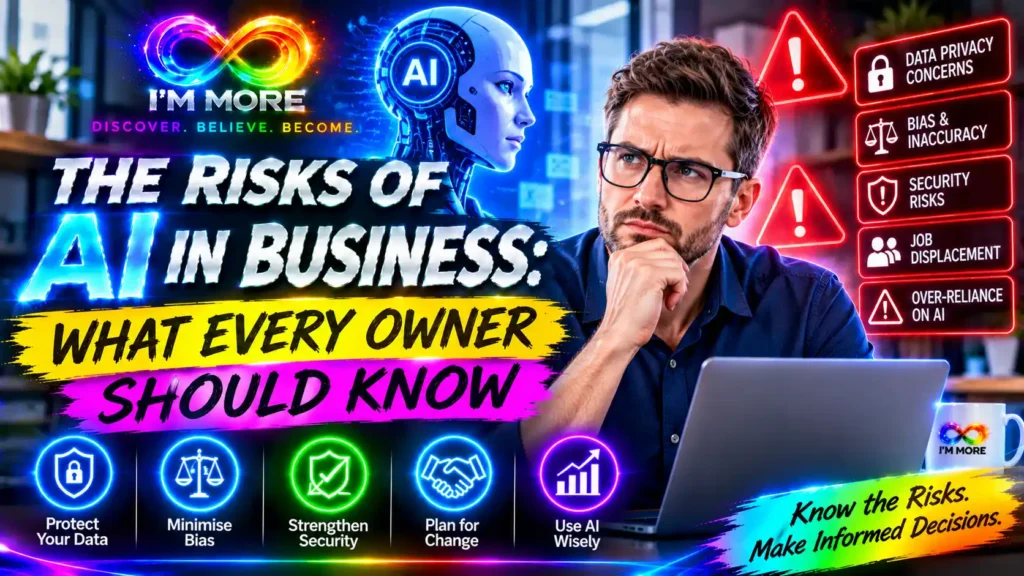
Small business owner reviewing artificial intelligence risks including data privacy, cyber security and responsible AI use

The Risks of AI in Business: What Every Owner Should Know

Introduction: Opportunity comes with responsibility

Artificial intelligence is becoming part of everyday business. Small companies are using AI to draft marketing content, answer customer questions, analyse information, create images, organise tasks and explore new ideas. Used thoughtfully, these tools can save time and help a business compete. But adopting AI without understanding its risks can create problems that are expensive, damaging and difficult to reverse.

The answer is not to avoid AI altogether. It is to understand where things can go wrong, decide which uses are appropriate and put sensible safeguards in place. Business owners do not need to become technical experts, but they do need to remain responsible for the decisions their businesses make.

Here are the key risks every business owner should understand, along with practical steps for managing them.

1. Inaccurate information and AI hallucinations

AI tools can produce answers that sound confident and convincing but are incomplete, outdated or simply wrong. This is sometimes called a hallucination. A system might invent a statistic, misstate a regulation, create a fictional reference or recommend a product feature that does not exist.

For a small business, an unchecked error could appear in a customer email, website article, quotation, proposal, social media post or internal report. If the information concerns pricing, contracts, tax, employment, safety or legal obligations, the consequences may be more serious.

2. Data privacy and confidential information

One of the most important risks is sharing information with an AI service without understanding what happens to it. Staff may paste customer details, employee records, financial information, passwords, private correspondence, supplier terms or commercially sensitive plans into a prompt.

Depending on the tool and its settings, information may be processed by an external provider and handled under terms that differ from the business’s own systems. Even when a provider offers privacy controls, owners should understand the service’s data practices before using it.

Create a simple rule: do not enter personal, confidential or commercially sensitive information into an AI tool unless the business has checked that the service is suitable and authorised for that use. Remove identifying details where possible, limit access and collect only the information genuinely needed.

If AI processes personal data, businesses must consider their data protection responsibilities. The Information Commissioner’s Office (ICO) provides guidance on AI and data protection, including fairness, transparency, risk assessment and accountability. The ICO notes that organisations should assess and manage risks to people’s rights and freedoms.

3. Cyber security threats and malicious content

AI can help businesses work more efficiently, but it can also be used by criminals to create convincing phishing messages, impersonate colleagues or suppliers, produce fraudulent documents and make scams more persuasive. AI-powered tools connected to business systems may also introduce risks if permissions, integrations or security settings are poorly managed.

There are risks within AI systems themselves. For example, prompt injection is a technique that attempts to manipulate an AI system through instructions hidden in content it processes. If an AI assistant can access files, email or other services, a poorly designed workflow could expose information or perform an action it should not.

Use multi-factor authentication, strong unique passwords, software updates and restricted user permissions. Check what an AI product can access before connecting it to business accounts. Verify unusual payment requests or changes to bank details through a separate trusted channel, even if the message appears to come from someone familiar.

The UK Government’s AI Cyber Security Code of Practice sets out baseline principles for securing AI systems and the organisations that develop or deploy them.

4. Bias, unfairness and poor decisions

AI systems learn patterns from data, and that data may contain gaps, outdated assumptions or existing social biases. As a result, an AI tool may produce recommendations that disadvantage certain groups or treat people inconsistently.

This matters when AI is used to screen job applications, assess customers, recommend prices, prioritise enquiries or support decisions about access to services. A system may appear neutral while reproducing unfair patterns from its training data or from the way it has been configured.

Do not assume that an automated recommendation is objective simply because a computer produced it. Test outputs with different examples, look for patterns that could lead to unfair treatment and make sure a responsible person reviews decisions that significantly affect individuals. Keep a route for people to question or appeal an outcome.

5. Copyright, ownership and brand reputation

AI-generated text, images, audio and other material can raise questions about copyright, licensing, ownership and permitted use. The position may depend on the tool’s terms, the material used to create the output and the laws that apply. A generated image might resemble an existing brand or creator’s work; a draft article might include material that is too close to a source.

There is also a reputational risk. Publishing generic, misleading, insensitive or inaccurate AI content can weaken customer trust and make a business appear careless. AI should support a brand’s voice, not replace its judgement or values.

Check the commercial-use terms of each tool. Review generated material before publishing, avoid asking AI to imitate a living creator or competitor’s distinctive style, and keep records of important licences and approvals. Make sure content is original enough for your purpose and reflects the standards customers expect from your business.

6. Over-reliance and loss of human judgement

When AI makes everyday tasks quicker, it can be tempting to rely on it for more and more decisions. But AI does not understand a business in the same way its owner, employees or customers do. It may miss context, misunderstand a sensitive situation or recommend an action that looks efficient on paper but damages a relationship.

Over-reliance can also weaken staff skills if people stop checking, questioning or learning. Customer service is a good example: an automated response may handle a routine question, but a complaint, vulnerable customer or unusual request often needs empathy and human discretion.

Decide which tasks AI can assist with and which must remain under human control. Keep people involved in high-impact decisions, important customer communications and work where professional judgement is essential. Use AI to strengthen your team’s capabilities, not to remove accountability.

7. Hidden costs, vendor dependence and disruption

An AI tool that appears inexpensive at first can become costly as usage grows, additional features are added or several subscriptions accumulate. Businesses may also become dependent on a provider’s platform, making it difficult to move data or workflows if prices, features or terms change.

Before committing, check the full pricing model, usage limits, renewal terms, data export options, support arrangements and what happens if the service becomes unavailable. Avoid building a critical business process around a tool until you have tested it and considered a fallback.

Start with a limited trial and measure whether the tool genuinely saves time, improves quality or increases revenue. If it does not deliver a clear benefit, reconsider the subscription.

8. Lack of clear rules and staff training

Even a good AI tool can create problems when employees are unsure what they are allowed to do with it. One person may use AI to draft public content, another may upload customer information and a third may rely on an answer without checking it. Inconsistent practices make risks harder to identify and manage.

A short, practical AI policy can make a significant difference. It should explain which tools are approved, what information must never be entered, which outputs require checking, who can authorise new uses and when a human must make the final decision.

Train staff with realistic examples rather than technical jargon. Explain how to spot inaccurate outputs, protect confidential information, recognise suspicious content and escalate concerns. Review the policy as tools and business needs change.

A practical AI risk checklist for business owners

Before introducing an AI tool, ask:

What business problem are we trying to solve, and is AI appropriate for it?

What information will the tool receive, and could it include personal or confidential data?

Who provides the service, and have we checked its privacy, security and commercial terms?

Who will review the output before it is used, shared or published?

Could the tool’s output create unfair treatment, misleading claims or reputational harm?

What access does the tool have to our files, accounts and business systems?

How will we measure its value, monitor problems and stop using it if necessary?

Do employees understand the rules and know who to contact with concerns?

A safer way to introduce AI

You do not need a complicated AI strategy to get started. Choose one low-risk task, such as brainstorming ideas or creating a first draft of a routine internal document. Use an approved tool, avoid sensitive information and have a member of the team check the result.

Record how long the task takes without AI and compare it with the AI-assisted process. Look at quality as well as speed. If the trial is successful, document the process and decide whether it is suitable for wider use. If it creates extra work or uncertainty, change the approach or stop.

Conclusion: Make AI work for your business, not against it

AI can help small businesses become more productive, creative and competitive. But the benefits are strongest when technology is introduced with clear purpose and sensible safeguards. Inaccurate information, data privacy problems, cyber threats, bias, copyright concerns, over-reliance and hidden costs are not reasons to panic. They are reasons to make informed decisions.

Business owners remain responsible for the way AI is used and for the impact it has on customers, employees and the wider community. Start small, protect information, check outputs, train your team and keep human judgement at the centre of important decisions.

The businesses most likely to benefit from AI will not necessarily be those that use the most tools. They will be the ones that understand the risks, build trust and use technology responsibly.
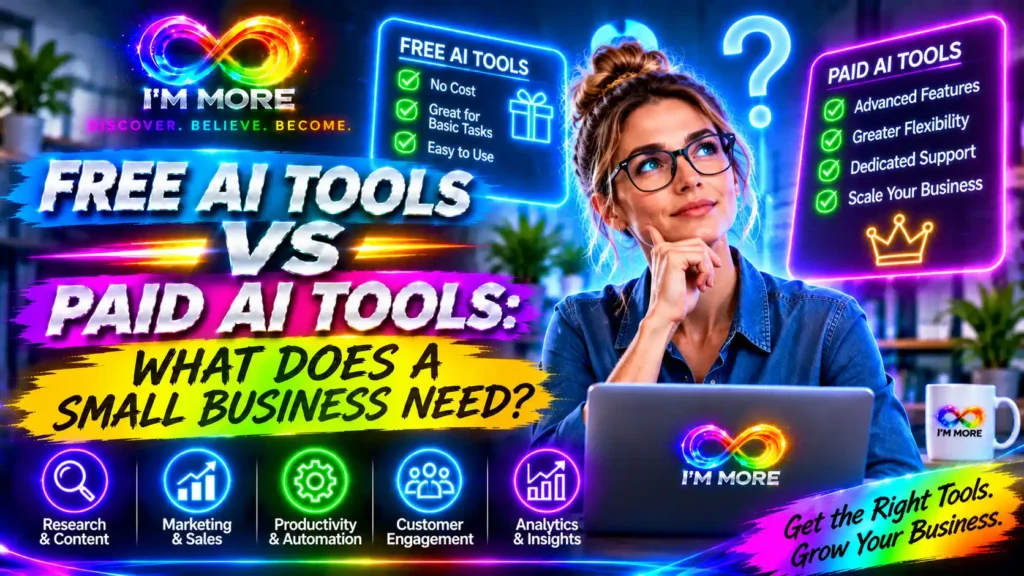
Small business owner comparing free and paid AI tools on a laptop at a desk

Free AI Tools vs Paid AI Tools: What Does a Small Business Need?

Introduction: Do you really need to pay for AI?

Artificial intelligence is becoming part of everyday business life. It can help write emails, plan social media, summarise information, organise ideas, research competitors and support customer service. For a small business, that can feel like an opportunity to get more done without immediately hiring extra help.

But there is a question behind every new tool: should you use the free version, or pay for a subscription?

The good news is that a small business does not automatically need a collection of paid AI tools. Free plans can be genuinely useful, especially when you are learning what AI can do. Paid plans may become worthwhile when you use a tool regularly, reach its limits or need features that make a measurable difference.

The right decision is not about choosing the most expensive technology. It is about choosing the simplest option that safely solves a real business problem.

1. What can free AI tools do for a small business?

Free AI tools are a sensible starting point for businesses that want to experiment without committing to another monthly cost. Depending on the provider and current plan limits, they may help with:

Writing and editing: drafting emails, product descriptions, website copy, proposals and social media captions.

Ideas and planning: brainstorming campaign themes, outlining a blog article or turning a rough idea into an action plan.

Research and summarising: getting an initial overview of a topic, summarising public information or preparing questions for further research.

Creative support: exploring image concepts, presentation ideas and simple marketing content.

Everyday problem-solving: explaining unfamiliar terms, creating checklists or helping structure a process.

For example, a local shop could use a free AI assistant to draft a seasonal promotion. A tradesperson could ask it to make a customer email clearer. A consultant could use it to turn meeting notes into a first draft of an action list. These are useful tasks, and they do not necessarily require a paid subscription.

There are several places to begin. The ChatGPT plans page explains the features and limits associated with its available plans. Google’s UK Gemini plans page shows its free and paid options. Microsoft also explains the distinction between free Microsoft Copilot and Microsoft 365 Copilot.

2. What do paid AI tools offer?

Paid AI plans are generally designed to provide more capacity, additional features or a more integrated way of working. The exact benefits vary by provider, product and subscription, so it is important to compare the plan details rather than assume every paid tool offers the same things.

Higher usage limits: more messages, file uploads, image creation or research activity before you reach a limit.

More capable features: access to additional models, advanced analysis, larger context windows or specialist tools.

Workflow integration: AI features built into the software your business already uses, such as documents, spreadsheets, email or collaboration tools.

Team and administration options: shared workspaces, central billing, user management or business-oriented controls where offered.

Time savings at scale: the ability to handle recurring tasks more consistently or process larger amounts of information.

Imagine you prepare proposals every week. A free tool might be enough to draft occasional wording. If you are regularly analysing long documents, revising multiple versions and working with a team, a paid plan with suitable capacity and collaboration features could save enough time to justify its cost.

However, a paid subscription does not guarantee accurate answers, better decisions or a finished piece of work. Human review is still essential. AI can misunderstand instructions, invent details or produce content that sounds convincing but is wrong.

3. Free vs paid: the key differences

Area Free tools Paid tools
Cost No subscription fee, but limits may apply. Recurring cost; check monthly and annual pricing.
Usage Often suitable for occasional tasks. Usually offers higher limits or broader access.
Features Core functions may be enough for everyday work. May include advanced tools and integrations.
Teamwork May be designed mainly for individual use. Some plans add shared workspaces and admin controls.
Best fit Testing, learning and low-volume tasks. Frequent, valuable or team-based workflows.

This is a general guide, not a promise about every provider. Features and limits change, and some products offer free trials, usage-based billing or different business plans. Always check the provider’s current terms before making a purchase.

4. When should a small business stay with free AI?

Stay with free tools when you are still discovering where AI fits into your business. If you only use it once or twice a week, the free allowance may be enough. It may also be the better choice when:

You are experimenting with prompts and learning how to check AI-generated work.

Your tasks are short, straightforward and do not regularly hit usage limits.

You have not yet identified a repeatable business process that AI improves.

You can complete the work comfortably with the free features already available.

Your budget is tight and the subscription would compete with more important business costs.

There is no business advantage in paying for a tool simply because other companies are using it. If a free option does the job reliably and safely, keeping the money in your business may be the smartest decision.

5. When is it worth upgrading to a paid tool?

Consider paying when you can point to a clear limitation or opportunity. Perhaps you regularly run out of messages, need to work with larger files, want a feature that is not included in the free plan or need a managed workspace for several employees.

The strongest reason to upgrade is measurable value. If a subscription costs £20 per month, for example, ask whether it saves enough staff time, reduces avoidable work or helps generate additional revenue to justify that amount. The example is illustrative: actual prices vary by provider, plan, location and billing method.

A simple calculation can help:

Monthly value = time saved × the realistic value of that time + other measurable benefits − subscription and setup costs

Be realistic. Time saved is only valuable if it can be used productively. A tool that creates more checking, corrections or admin may not be saving as much as it first appears.

6. Do not overlook privacy, security and business data

Price should never be the only factor. Before entering customer details, staff information, financial records, unpublished plans or confidential documents into an AI tool, understand how the provider handles that information.

Check the terms for data use, retention, access controls, security, and whether your organisation can manage or disable particular data uses. A paid personal subscription is not automatically the same as a business-grade service. Equally, a free plan is not automatically unsuitable; the important thing is to understand its terms and use it appropriately.

UK businesses should also consider their responsibilities under data protection law. The Information Commissioner’s Office provides guidance on AI and data protection, including issues organisations should consider when using AI systems.

A practical rule is to avoid pasting identifiable or confidential information into a tool unless your business has checked that the use is appropriate and authorised. Where possible, remove names and other identifying details, use approved business accounts and keep a human responsible for important decisions.

7. A simple way to choose the right AI plan

Rather than comparing dozens of features, start with one task that takes time or causes frustration. Use this five-step approach:

Choose one business problem. For example, drafting routine customer emails or preparing first drafts of social posts.

Test a free option. Use it for a short, defined period and keep examples of the work it produces.

Check the result. Measure quality, accuracy, time saved and how much editing is still required.

Identify the limitation. Is the free plan restricting usage, missing an essential feature or making teamwork difficult?

Compare the upgrade cost with the benefit. Pay only if the additional value is clear and the tool meets your privacy and security requirements.

It is also worth checking whether you already pay for software that includes AI features. Your existing office, design, accounting or customer-management subscription may offer capabilities you have not explored. Avoid buying a separate tool until you know what is already available.

8. Build a small AI toolkit, not a pile of subscriptions

Small businesses can easily end up paying for several tools that perform similar tasks. One assistant writes emails, another drafts social posts, a third summarises documents and a fourth generates ideas. Before long, the business is managing subscriptions instead of benefiting from them.

Start with a small toolkit built around your actual work. You might need one general AI assistant, one design platform and perhaps an AI feature inside software you already use. Add another paid service only when it fills a genuine gap.

Keep a simple record of each tool, its monthly cost, who uses it, what task it supports and whether it is delivering value. Review that list every few months. Cancel services that are rarely used or no longer justify their cost.

Conclusion: Choose value, not the price tag

Free AI tools can give small businesses a strong starting point. They make it possible to explore new ways of writing, planning, researching and creating without immediately increasing overheads. For many everyday tasks, that may be all a business needs.

Paid AI tools become more attractive when a business uses them frequently, needs greater capacity, relies on advanced features or wants stronger team workflows. The decision should be based on a real business benefit, not the excitement surrounding new technology.

The best approach is to start small, test carefully and upgrade with purpose. A free tool that solves a problem is more valuable than an expensive subscription that sits unused. And a paid tool that saves time, improves a process and earns its place in your budget can become a worthwhile investment.

For small businesses, the goal is not to use the most AI. It is to use the right AI, in the right way, to make the business stronger.

Business team discussing responsible AI use with digital technology and human oversight

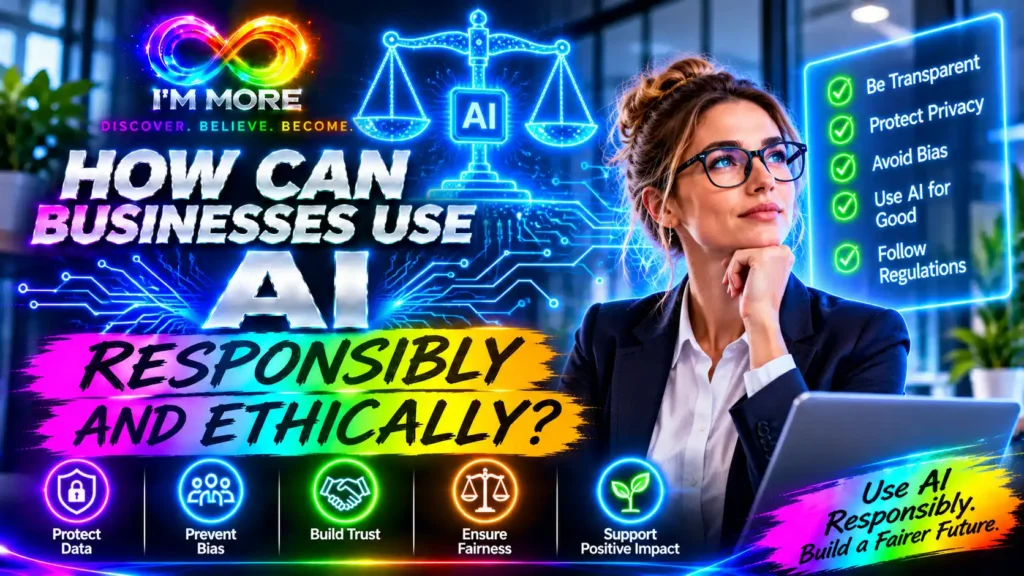
How Can Businesses Use AI Responsibly and Ethically?

How Can Businesses Use AI Responsibly and Ethically?

Introduction: innovation needs responsibility

Artificial intelligence is giving businesses new ways to work. It can help teams analyse information, respond to customers, create content, automate routine tasks and explore new ideas. For small businesses and larger organisations alike, these capabilities can create opportunities to save time, improve services and make better use of resources.

But adopting AI also brings responsibilities. A tool may produce inaccurate information, reflect unfair patterns in its training data, expose sensitive information or make it difficult for people to understand how a decision was reached. If businesses use AI without thinking about these risks, they can damage customer confidence, affect employees and create legal or reputational problems.

Using AI responsibly does not mean avoiding innovation. It means making thoughtful choices about where the technology is appropriate, what safeguards are needed and who remains accountable. The aim is to use AI in ways that are useful, fair, transparent and respectful of the people affected.

1. Be clear about why you are using AI

Responsible AI starts with a clear purpose. Before introducing a tool, identify the business problem you want to solve. Are you trying to reduce repetitive administration, help customers find information, improve the quality of internal reports or support staff with research?

A defined purpose makes it easier to decide whether AI is suitable and what a successful result should look like. It also helps prevent businesses from collecting unnecessary information or using a tool for tasks it was never designed to perform.

For example, AI may be useful for drafting a first version of a customer newsletter. A member of staff can check the details, adjust the tone and approve the final message. By contrast, allowing an AI system to make an important decision about a person’s employment or access to a service without meaningful human oversight creates much greater risks.

Ask three simple questions before starting: What benefit are we expecting? Who could be affected? What could go wrong if the output is inaccurate?

2. Protect personal and confidential information

AI tools may process the information users enter, upload or connect to them. That information could include customer names, contact details, payment information, employee records, supplier contracts, business plans or commercially sensitive data.

Before using an AI service, understand what happens to the information you provide. Check the provider’s privacy policy, data retention settings, security features, access controls and whether inputs may be used to improve its models. Use an organisation-approved service for business information and avoid entering personal or confidential details into tools that have not been assessed.

Only use the information needed for the task. Where possible, remove names and other identifying details. Restrict access to people who need it, and make sure staff understand what they may and may not share.

For UK organisations, the Information Commissioner’s Office provides guidance on AI and data protection covering important considerations when personal information is involved. Businesses should assess their own obligations rather than assuming that using an AI tool removes their responsibility.

3. Check accuracy and do not assume AI is always right

AI systems can produce convincing answers that contain mistakes. They may invent sources, misunderstand instructions, use outdated information or present an uncertain conclusion as though it were a fact. This is sometimes described as an AI hallucination.

For business owners, the consequences can be significant. Incorrect prices, product details, legal explanations, financial figures or delivery promises can mislead customers and create avoidable disputes.

Treat AI output as a draft, recommendation or starting point. Check factual claims against reliable sources, verify calculations using the original data and ask a knowledgeable person to review anything important before it is shared or acted upon.

The level of checking should match the risk. A brainstorming list may need a quick sense-check. A financial forecast, customer-facing policy or safety-related instruction requires much more careful verification.

4. Make AI use fair and avoid harmful bias

AI systems can reflect patterns and assumptions in the data used to build or operate them. If those patterns are unfair, the output may disadvantage particular people or groups. Bias can also enter through the way a business frames a task, chooses its data or interprets a recommendation.

This matters when AI is used in recruitment, customer eligibility, pricing, lending, staff evaluation or decisions about access to services. A system may appear neutral while producing outcomes that are unfair or difficult to challenge.

Businesses should consider who might be affected, test outputs across relevant situations and look for patterns of unequal treatment. Do not rely on AI as the sole decision-maker for significant decisions about individuals. Keep a qualified person involved, document the reasoning and provide a way for people to ask questions or challenge an outcome.

Fairness is not something that can be guaranteed by a single software setting. It requires ongoing attention to the data, the process and the real-world impact of the system.

5. Be transparent with customers and employees

People should not be left confused about whether they are interacting with AI or how AI is being used in a process that affects them. Transparency helps people understand what to expect and when a human can step in.

If a website uses an AI chatbot, make its role clear and explain how customers can contact a person. If AI is used to help prepare a customer communication, make sure the final message is accurate and that the business remains responsible for it. If staff are expected to use AI tools, explain which tools are approved and what information can be entered.

Transparency does not mean overwhelming people with technical explanations. It means providing clear, relevant information at the right time. Be honest about what the system can do, where its limitations are and how people can raise concerns.

6. Keep people accountable for important decisions

AI can support decisions, but responsibility should remain with the business and the people authorised to act. A company cannot avoid accountability by saying that an algorithm made the recommendation.

Set clear rules about which tasks AI may assist with and which decisions must remain under human control. Define who reviews outputs, who approves actions and who responds when something goes wrong. Staff should have the authority and confidence to question an AI result rather than accepting it automatically.

Human oversight needs to be meaningful. A person should have enough information, time and authority to assess the recommendation and change the outcome when necessary. Simply clicking approve without understanding the result is not an effective safeguard.

7. Respect copyright, ownership and original work

AI-generated text, images, audio and other material can raise questions about copyright, permissions and ownership. The legal position can depend on the type of material, how the tool was trained, the terms of the service and the way the output is used.

Do not assume that every image, logo, quotation or passage generated by a tool is automatically free from rights issues. Avoid asking AI to reproduce a living artist’s distinctive work or to copy protected material. Check the tool’s terms, use properly licensed assets and obtain permission where required.

For business content, review generated material for copied phrases, inaccurate quotations, misleading claims and brand conflicts. Keep records of the sources and assets used in important campaigns or publications.

8. Secure AI tools and manage access

AI services can become part of a business’s technology environment, so they need appropriate security. Use strong authentication, limit access according to job roles and review connected apps or integrations. Be cautious about browser extensions, plug-ins and third-party tools that request access to business files or customer systems.

Keep software up to date and understand how information moves between connected services. Consider what could happen if an account is compromised or a tool is given access to more information than it needs.

For organisations developing a more formal approach, the

NIST AI Risk Management Framework provides a structured way to identify, assess and manage risks associated with AI. It can help businesses think about governance, mapping potential impacts, measuring performance and managing issues over time.

9. Train staff and create clear AI-use guidelines

A responsible approach works best when everyone understands the expectations. Staff need practical guidance on approved tools, permitted uses, data protection, checking outputs, copyright and when to ask for help.

A short AI-use policy can set out the basics: which tools are approved, what information must never be entered, which outputs require review, how AI-generated content should be checked and how concerns should be reported. Keep the policy easy to find and update it as tools and business needs change.

Training should be ongoing rather than a one-off presentation. AI tools evolve, new risks emerge and staff learn best when guidance is connected to the work they actually do. Encourage people to share useful examples as well as mistakes and near misses.

10. Monitor results and respond when something goes wrong

Responsible AI use does not end when a tool is launched. Businesses should check whether it continues to perform as expected and whether it is creating unintended effects. Monitor accuracy, customer feedback, error rates, security incidents and any differences in outcomes between groups where relevant.

Create a simple process for reporting problems. Staff should know who to contact if a tool reveals confidential information, produces harmful content, gives an unsafe recommendation or makes a repeated error. Pause or restrict the use of a system if the risk cannot be managed while the issue is investigated.

Review whether the tool is still necessary and whether the benefits justify the cost and risk. If the business changes its purpose or connects the system to new data, reassess the safeguards rather than assuming the original approval still applies.

11. A practical checklist for responsible AI adoption

Before using an AI tool in your business, work through these questions:

Have we identified a clear business purpose and a measurable benefit?

Is AI appropriate for this task, or would a simpler process work better?

Do we understand what information the tool collects, stores or uses?

Have we removed unnecessary personal or confidential information?

Have we checked outputs for accuracy, bias and suitability?

Is a named person responsible for reviewing important results?

Do customers and employees receive clear information where appropriate?

Are access controls, security and supplier terms suitable?

Do staff know the rules and how to report a concern?

Will we monitor performance and review the tool regularly?

Conclusion: make trust part of your AI strategy

AI can help businesses become more productive, creative and responsive. But long-term value depends on more than speed or convenience. Customers, employees and business partners need to know that technology is being used with care and that people remain accountable for the outcomes.

Responsible AI adoption begins with a clear purpose, appropriate tools and good information. It continues through privacy protection, accuracy checks, fairness, transparency, security and meaningful human oversight. These are not obstacles to innovation; they are the foundations that allow people to use new technology with greater confidence.

You do not need a large compliance team to begin. Start with one use case, understand the risks, agree simple rules and review the results. As your experience grows, build stronger processes around the tools that genuinely help. By making ethics and responsibility part of everyday decisions, your business can benefit from AI while protecting the trust on which its success depends.

Business owner preparing an AI-ready business with digital tools, organised information and a connected team

Building an AI-Ready Business: A Beginner’s Guide to Getting Started

Introduction: getting ready before getting technical

Artificial intelligence is becoming part of everyday business life. It can help write and organise information, support customer service, analyse data, improve planning and automate repetitive tasks. For business owners, the opportunity is exciting: AI may help a small team work more efficiently, make better use of its knowledge and find new ways to serve customers.

But becoming an AI-ready business does not mean buying the most advanced software or trying to automate everything. It means understanding where AI could genuinely help, preparing your information and processes, supporting your people and putting sensible safeguards in place.

The strongest starting point is practical rather than technical. Begin with a business problem, learn what the technology can and cannot do, and test a small use case. This guide explains the foundations and offers a straightforward route to getting started.

1. Understand what AI readiness really means

An AI-ready business has a clear reason for using AI and the basic foundations to use it well. That includes people who understand the tools, processes that are suitable for improvement, information that can be used safely and a way to check whether the technology is delivering value.

Readiness is not an all-or-nothing status. A small business can be ready to use an AI assistant to draft routine marketing content while still needing work before it uses AI to make decisions about customers, employees or finances. Different uses carry different levels of risk.

It is helpful to separate experimentation from adoption. Trying a tool can show what is possible. Adopting it means deciding who may use it, what information it can access, how outputs will be checked and what happens if it fails.

2. Start with business needs, not the latest technology

It is easy to be distracted by new AI products and impressive demonstrations. Before choosing a tool, identify a task or challenge that matters to your business. Perhaps staff spend too long writing similar emails, customer enquiries are difficult to organise, reports take hours to prepare or useful information is spread across multiple documents.

Write down what happens now, who is involved, how often the task occurs and what makes it difficult. Then describe the improvement you would like to see. A clear goal might be to reduce the time spent preparing a weekly report, make product information easier to find or help customers receive accurate answers to routine questions.

This approach helps you judge whether AI is appropriate. Sometimes a clearer process, better template or simple automation will solve the problem more cheaply and reliably. AI should be chosen because it fits the need, not because it is fashionable.

3. Find a manageable first project

For a first project, choose something frequent, low risk and easy to review. Examples include drafting social media ideas, summarising non-confidential meeting notes, creating a first draft of a frequently asked questions page, organising internal guidance or turning a rough outline into a customer newsletter.

Avoid beginning with high-impact decisions or tasks where an error could cause serious harm. Do not make an AI tool the sole decision-maker for recruitment, staff performance, credit, legal advice, health and safety or other sensitive matters.

A small pilot should have a clear owner, a defined start and end point, and a simple way to measure results. Compare the new approach with the existing process. Did it save time? Was the output accurate? Did it need extensive editing? Did customers or staff benefit? These answers will tell you whether to continue.

4. Prepare your business information

AI tools are only as useful as the information and context they receive. If your business documents are outdated, inconsistent or difficult to find, the technology may produce confusing or inaccurate results.

Start by reviewing the information you rely on most: service descriptions, product details, pricing, policies, customer FAQs, brand guidance and internal procedures. Make sure there is a clear, approved version of important information. Remove duplicates where possible and agree who is responsible for keeping documents current.

You do not need to reorganise every file before experimenting. Focus on the information relevant to your first use case. If you want an AI tool to help draft customer responses, for example, prepare accurate service information and approved answers to common questions.

Be careful with personal, confidential and commercially sensitive information. Do not paste customer records, employee details, passwords, financial data or private business documents into an AI service without first checking its terms, security arrangements, permissions and your legal obligations.

5. Build basic AI understanding across your team

AI readiness is not just an IT project. Employees need to understand what tools are available, what they are approved to do and where human judgement is essential. People should feel able to ask questions, raise concerns and report mistakes without embarrassment.

Training can begin with a short introduction: what generative AI is, common strengths and limitations, how to write useful instructions, how to check outputs and what information must not be shared. Use examples that relate directly to people’s roles rather than relying only on technical explanations.

Encourage staff to treat AI output as a draft or suggestion, not an automatic answer. It can produce confident-sounding mistakes, misunderstand a request or miss important context. Someone with the right knowledge should review anything that affects customers, business commitments or important decisions.

The UK Government’s AI Skills for Business resources are a useful place to explore practical AI learning and skills support.

6. Choose tools with care

The best AI tool is not necessarily the one with the longest feature list. Consider whether it solves your problem, is straightforward for your team, works with your existing systems and fits your budget. Check how the provider handles data, whether your inputs may be used to improve its models, what access controls are available and how you can delete information.

Also consider reliability and support. Can you export your work if you change provider? Does the tool offer suitable user permissions? Is there a clear way to report issues? What happens if the service is unavailable? For important processes, keep a workable alternative rather than relying on one tool.

Use official product documentation to understand the features and limitations of any service you select. For example, Microsoft’s AI for business overview and Google Workspace’s AI information explain how AI capabilities are being incorporated into common workplace tools. Product features and terms can change, so check current details before committing.

7. Put simple rules and safeguards in place

Even a small business benefits from clear AI-use guidelines. These do not need to be complicated. Explain which tools are approved, what information may be entered, what uses are allowed, who checks outputs and how mistakes or concerns should be reported.

For example, a business might allow staff to use an approved assistant to brainstorm campaign ideas but require a manager to approve public content. It might allow meeting summaries only when participants have been informed and the tool is approved for the information involved. It might prohibit entering customer account details into public AI tools.

Think about fairness, privacy, security, accuracy, copyright and transparency. If customers are interacting with an automated system, consider whether they should be told and how they can reach a person. If AI supports a decision about an individual, make sure there is meaningful human oversight and an appropriate way to challenge errors.

The UK Information Commissioner’s Office provides AI and data protection guidance for organisations considering how data protection applies when they use AI. The NIST AI Risk Management Framework is another useful reference for thinking systematically about AI risks and controls.

8. Review your processes before automating them

AI cannot automatically fix a process that is unclear or inefficient. If a customer enquiry passes through several people because nobody knows who owns it, adding a chatbot may simply create another place for the enquiry to get stuck.

Map the process first. Identify the steps, the people responsible, the information required and where delays or errors occur. Remove unnecessary steps and clarify responsibilities. Then decide whether AI could support one part of the process.

Keep a human handover for exceptions. A tool might categorise incoming messages or draft a response, while a staff member handles complaints, unusual requests and decisions that require discretion. This combination can improve efficiency without making the customer experience feel impersonal.

9. Measure whether AI is actually helping

A successful AI project should deliver a business benefit, not simply produce impressive output. Decide how you will measure that benefit before the pilot begins. Depending on the task, useful measures might include time saved, response quality, error rates, customer satisfaction, fewer repeated tasks or faster access to information.

Record a baseline so that you can compare the new process with the old one. Include the time needed to check and correct AI output. A tool that drafts something in seconds may not save time if it takes an hour to fix inaccuracies.

Review feedback from the people using the tool and the customers affected by it. If the results are mixed, adjust the process, improve the information provided or test a different approach. If the tool does not provide enough value, stop using it. That is a useful outcome too: it prevents further time and money being spent on a poor fit.

10. A beginner’s 30-day AI-readiness plan

You can build the foundations gradually. Here is a simple month-long plan that can be adapted to the size and needs of your business:

Week 1 – Identify an opportunity. Choose one repetitive or time-consuming task. Write down the current process, the problem and the improvement you want.

Week 2 – Prepare and learn. Review the information needed for the task, check privacy and security requirements, choose a suitable tool and show the people involved how to use it safely.

Week 3 – Run a small pilot. Test the tool on appropriate low-risk work. Keep a human in the loop and record time, quality, errors and feedback.

Week 4 – Review and decide. Compare results with your starting point. Decide whether to continue, make changes, expand carefully or stop.

At the end of the month, write down what you learned. The next project should build on real experience rather than assumptions about what AI might be able to do.

Conclusion: build readiness one useful step at a time

Becoming an AI-ready business is not about transforming everything overnight. It is about creating the conditions for technology to be useful: clear business goals, well-managed information, capable people, sensible processes and safeguards that protect customers and the organisation.

Start with a genuine problem. Choose a manageable task, prepare the information, involve the people who understand the work and test the result carefully. Measure whether the tool makes a meaningful difference before expanding its role.

AI will continue to develop, but businesses do not need to chase every new feature. The organisations most likely to benefit are those that stay curious while remaining practical and responsible. Combine the speed and support of digital tools with human experience, creativity and judgement, and you can build a business that is ready to make the most of what comes next.

Business owner reviewing goals and progress on a digital dashboard with AI-powered planning tools

How AI Can Help Business Owners Set Goals and Track Progress

Introduction: moving from good intentions to real progress

Every business owner has ambitions. You might want to attract more customers, increase revenue, improve customer service, launch a new product, reduce costs or create more time to focus on the work that matters. The challenge is not always knowing what you want to achieve. It is turning that ambition into clear goals, deciding what to do next and keeping track of whether your efforts are working.

Artificial intelligence (AI) can help make that process more manageable. It can organise ideas, suggest ways to measure success, turn large objectives into smaller actions and help interpret business information. It can also support regular reviews, giving owners a clearer picture of what is improving and where a plan may need to change.

AI is not a substitute for business judgement, and it cannot guarantee results. Its value comes from helping you think more clearly and work more consistently. The direction still needs to come from you.

1. Turning big ambitions into clear business goals

A goal such as “grow the business” is motivating, but it is too broad to guide everyday decisions. What does growth mean? More customers, higher average order value, stronger repeat business, a new location or a more profitable service? Until the ambition is specific, it is difficult to know what actions will make a difference.

AI can help you explore an ambition and turn it into a more focused objective. Explain your business, current situation, available resources and desired outcome. Then ask for possible goal statements and the information you would need to make them realistic.

For example, a local service business might move from “get more customers” to “increase qualified enquiries from the local area over the next quarter, while maintaining the current response time”. That gives the owner a clearer outcome to work towards and suggests what needs to be measured.

A useful starting point is the SMART approach: goals should be specific, measurable, achievable, relevant and time-bound. The CIPD’s guidance on setting SMART objectives explains how this approach can help turn broad intentions into clearer objectives.

2. Breaking long-term goals into manageable steps

A business goal can feel overwhelming when it is treated as one large task. AI can help break it into smaller milestones, weekly actions and practical responsibilities. If your aim is to launch a new service, for instance, a plan might include customer research, pricing, supplier decisions, marketing preparation, a trial launch and a review.

You can ask AI to create a draft timeline, identify dependencies and suggest what needs to happen first. You can also ask it to highlight possible obstacles, such as limited staff time, seasonal demand or a lack of customer feedback.

The plan should be treated as a working draft. Check that the dates are realistic, that each task has an owner and that the sequence makes sense for your business. A simple plan that people can follow is more valuable than an impressive-looking schedule that is impossible to deliver.

3. Choosing the right measures to track

Once you know what you want to achieve, you need a way to tell whether you are making progress. These measures are often called key performance indicators, or KPIs. They help turn a goal into information that can be reviewed.

The right KPI depends on the goal. If you want to improve sales, you might track revenue, conversion rate or average transaction value. If you want to improve customer experience, you could monitor repeat bookings, response times, complaints or customer feedback. If your priority is operational efficiency, you might measure delivery times, stock waste or time spent on administration.

AI can help suggest possible KPIs and explain the strengths and limitations of each. It can also help you avoid measuring too many things. Choose a small number of measures that connect directly to the result you want. A dashboard full of numbers is not useful if it does not help you decide what to do.

The U.S. Small Business Administration’s guide to managing your finances is a useful reminder that owners need to understand financial performance and maintain reliable records when assessing how a business is doing.

4. Making better use of the information you already have

Many businesses already hold useful information in sales reports, booking systems, customer records, website analytics, stock tools and spreadsheets. The challenge is finding the time to bring it together and understand what it is saying.

Where the tools and permissions allow, AI can help summarise datasets, identify patterns, compare periods and turn figures into plain-English observations. It might help you spot that enquiries rise after a particular campaign, that one service is becoming more popular or that certain weeks consistently create pressure on staffing.

Always verify the results against the original records. Check how the figures were calculated, whether the data is complete and whether the comparison is fair. A pattern is not automatically a cause. For example, a rise in sales after a promotion does not prove the promotion caused the increase if other factors changed at the same time.

5. Creating a regular progress review

Goals are more likely to stay relevant when they are reviewed. A monthly or fortnightly check-in can help you see what has moved forward, what has stalled and what needs attention. AI can help prepare a short review by organising updates, summarising progress against milestones and highlighting questions to discuss.

You might use a simple review structure: What did we plan to do? What has actually happened? What do the measures tell us? What helped or got in the way? What should we do next? AI can turn notes from a team meeting into a draft action list, but the people involved should confirm that the summary is accurate.

Keep reviews constructive. The purpose is not to blame people when a target is missed. It is to understand the reasons, learn from the evidence and decide whether the next action should change.

6. Spotting problems earlier and adapting the plan

Business conditions change. Customer demand may shift, a supplier may increase prices, a competitor may introduce a new offer or an unexpected cost may affect cash flow. A goal that made sense at the start of the year may need to be adjusted.

AI can help explore possible explanations for a change in performance and generate options to investigate. If enquiries fall, for example, it could suggest checking website traffic, search visibility, customer reviews, response times and changes in the market. These are prompts for investigation, not proof of what happened.

You can also ask AI to help compare different scenarios. What if sales grow more slowly than expected? What if costs rise? What if you delay a planned investment? Scenario planning can help you think through trade-offs before committing resources.

For responsible use, keep a person involved in decisions that affect finances, employees or customers. AI may overlook context that is obvious to someone who understands the business.

7. Helping teams understand priorities and responsibilities

Goals become more achievable when everyone understands what they are working towards. AI can help translate a business objective into clear team updates, project briefs, meeting agendas and task lists. It can also help tailor the explanation for different roles, so people can see how their work contributes to the wider aim.

For example, a goal to improve customer retention might involve better follow-up from the sales team, faster issue resolution from customer support and more consistent service delivery from operations. AI can help map those contributions and draft a simple communication plan.

Be clear about accountability. Each action should have an owner, a due date and a definition of what completion looks like. Avoid using AI-generated performance summaries as the sole basis for judging an employee. Context, discussion and fair human assessment matter.

8. Keeping goals realistic and avoiding the wrong targets

AI can produce ambitious plans very quickly. That can be inspiring, but it can also create unrealistic expectations. A target should reflect your starting point, resources, market conditions and capacity. If you have limited staff or cash available, a plan that assumes rapid expansion may create more pressure than progress.

There is also a risk of focusing on what is easy to count rather than what truly matters. A business might celebrate a high number of social media likes while enquiries and sales remain unchanged. A team might aim to answer every message instantly but give customers incomplete answers. Measures should encourage the behaviour and outcomes you actually want.

Use AI to challenge your thinking as well as generate ideas. Ask it what assumptions your plan depends on, what could make the target unrealistic and whether the measures might encourage unintended behaviour. Then use your own knowledge to decide what is sensible.

9. Protecting business information when using AI

Progress tracking can involve sensitive information, including sales figures, customer details, staff performance and financial forecasts. Before entering business information into an AI tool, check its privacy settings, data-use terms, security arrangements and your organisation’s policies.

The UK Information Commissioner’s Office provides guidance on AI and data protection, which is relevant when AI tools process personal information. Use only the data needed for the task, remove identifying details where possible and ensure that access is appropriately controlled.

AI-generated summaries and recommendations should also be checked before they are shared or used to make decisions. Keep a record of important assumptions and confirm calculations using trusted business records.

10. A simple AI-supported goal-setting routine

You can introduce AI into your planning without changing every business system. Try this straightforward routine:

Choose one priority. Select a business outcome that matters over the next three to six months.

Describe your starting point. Gather the relevant figures, current challenges and available resources.

Draft a measurable goal. Ask AI to help turn the priority into a specific, realistic objective with a deadline.

Select a few useful KPIs. Choose measures that show whether the goal is being achieved, not just whether activity is taking place.

Build milestones and actions. Break the goal into manageable steps, assign owners and agree dates.

Review the evidence regularly. Use AI to help summarise updates, but check the figures and context yourself.

Adjust when needed. Keep what is working, change what is not and update the plan when circumstances shift.

Conclusion: use AI to make progress visible

Setting goals gives a business direction. Tracking progress helps you understand whether that direction is producing results. AI can support both parts of the process by helping owners clarify ambitions, plan milestones, choose useful measures and make sense of business information.

The greatest benefit may be the discipline it encourages. Instead of setting a target and revisiting it months later, you can build a regular habit of checking what is happening and deciding what to do next. That makes it easier to recognise progress, address problems and adapt before small issues become bigger ones.

But successful goal-setting still depends on people. You know your customers, your team, your market and the realities of running your business. Use AI to organise information and challenge assumptions, then apply your experience to make the decisions. With clear goals, sensible measures and consistent reviews, you can turn business ambition into meaningful, measurable progress.

Local business owner using AI-powered digital tools to connect with customers and grow a community business

AI for Local Businesses: Turning Digital Tools into Local Success

AI for Local Businesses: Turning Digital Tools into Local Success

Introduction: local knowledge, strengthened by digital tools

Local businesses are built on relationships. Whether you run a café, salon, shop, trades business, consultancy or family-run service, success often comes from understanding the people around you and earning their trust. Customers value convenience, personal service, reliability and the feeling that a business understands its community.

Artificial intelligence (AI) can help local businesses strengthen those advantages. It can support marketing, customer communication, administration, planning and decision-making without taking away the personal touch that makes a local business special. Used well, digital tools can give owners more time to serve customers and make better decisions.

AI does not need to mean expensive technology or a complicated transformation. For many small businesses, the best starting point is one repetitive task that takes too much time. A carefully chosen tool can help make that task quicker, while the owner remains responsible for the quality, accuracy and human judgement behind the work.

1. Helping more local customers discover your business

Being good at what you do is essential, but people also need to find you. Local customers may search online for a nearby service, check opening hours, compare reviews or look at recent photographs before deciding where to spend their money.

AI can help you plan useful website content, write clearer service descriptions, create social media captions and turn frequently asked questions into helpful posts. It can also help you brainstorm seasonal campaigns, local offers and community-focused content. For guidance on how Google presents local business information in Search and Maps, review Google Business Profile help. Keeping your profile accurate and up to date remains important; AI-generated copy cannot replace correct opening hours, contact details or service information.

Think about the questions customers ask before they visit or make contact. A plumber might publish advice on spotting a leaking pipe. A café could share its menu, dietary options and quieter visiting times. A local accountant might explain what information a new customer should prepare for an appointment. AI can help draft these materials, while your own expertise makes them genuinely useful.

2. Creating marketing that feels local, not generic

One of the strengths of a local business is its connection to a particular place. Your customers may attend nearby events, work in the area, support local teams or recommend businesses through word of mouth. Marketing is more effective when it reflects those real connections.

AI can help generate campaign ideas linked to the seasons, local events and the needs of your customer base. It can adapt a core message for different channels, such as a short social post, an email newsletter and a website update. It can also help create a simple content calendar so that marketing does not become a last-minute task.

The key is to add genuine local knowledge. Check place names, dates and event details. Avoid pretending to support a community activity that your business has no connection to, and do not publish generic content that could belong to any business in any town. Use AI to get started, then make the message sound like you.

3. Improving customer service while keeping it personal

Customers often need quick answers to straightforward questions: when you are open, what a service includes, whether an appointment is available or how to prepare for a visit. AI can help draft responses to common enquiries and organise a useful FAQ section for your website.

Some businesses may also benefit from AI-enabled chat tools that can respond to routine questions or direct enquiries to the right person. Before using one, decide which questions it is allowed to answer, when it must pass the conversation to a member of staff and how customer information will be handled.

A friendly automated response can be convenient, but customers should not be misled into thinking they are speaking to a person. For complaints, unusual requests, sensitive matters or decisions that need discretion, a human response is usually the better choice. The goal is not to remove personal service; it is to make it easier for your team to provide it.

4. Saving time on everyday administration

Running a local business involves more than serving customers. Owners also manage appointments, enquiries, invoices, staff rotas, stock, supplier communication and records. Small administrative tasks can build up and take attention away from the work that generates income.

Depending on the tools you use, AI may help draft routine emails, summarise meeting notes, prepare checklists, organise information or create first drafts of policies and procedures. Automation features can also connect steps in a process, such as sending an appointment reminder after a booking is made. Always check that the system is suitable for the task and that important actions are reviewed by a person.

Start with a task that is frequent, predictable and low risk. Measure how long it takes now, test the AI-assisted approach and compare the results. If the tool saves time but creates extra checking or corrections, it may not be a genuine improvement.

5. Understanding customers and making better decisions

Local businesses often make decisions with limited time and incomplete information. Which products should you reorder? Which services are most popular? When are your busiest periods? Which marketing activity brings enquiries that turn into paying customers?

AI can help analyse information that you already collect, such as sales summaries, booking patterns, stock records or customer feedback. It may identify recurring themes, highlight changes over time or help turn a spreadsheet into a plain-English summary. These insights can support decisions about staffing, promotions, stock and service improvements.

The quality of the output depends on the quality of the information. Check that records are accurate, compare like with like and be careful about drawing conclusions from a small sample. Do not upload identifiable customer or employee information to a public AI service unless you have a lawful basis, appropriate safeguards and permission where required.

6. Helping independent shops and service businesses compete

AI can make certain capabilities easier to access for businesses that cannot afford a large marketing, data or administration team. An independent retailer might use it to draft product descriptions and plan seasonal promotions. A restaurant could analyse booking trends and prepare responses to common customer questions. A tradesperson might use it to structure quotes, prepare job summaries or write follow-up messages.

For a service business, AI could help turn a detailed explanation of a service into a clear customer guide. For a local professional firm, it might help create a first draft of an onboarding checklist or a presentation explaining a process. In each case, the owner needs to verify the content and make sure it reflects the actual service being delivered.

The opportunity is not to imitate a national chain. It is to combine the efficiency of digital tools with the strengths that larger organisations may find harder to reproduce: personal relationships, local knowledge, flexibility and a recognisable community presence.

7. Making your website and online presence more useful

A website should help visitors understand what you do and take the next step. AI can help review page structure, suggest clearer headings, draft service descriptions and identify questions that are not answered. It can also help prepare accessible image descriptions and content outlines.

If you are improving your website content, Google’s SEO Starter Guide is a useful reference for creating content that helps search engines and people understand your pages. AI-generated text should still be original, accurate and written to help your customers rather than simply to repeat keywords.

Make sure your website displays the details local customers need: where you operate, how to contact you, what you offer, relevant prices or pricing guidance, accessibility information and clear calls to action. If you serve several nearby areas, explain your coverage honestly instead of creating thin pages that simply swap one town name for another.

8. Choosing tools carefully and protecting trust

There is no need to adopt every new AI product. Choose tools based on a real business need, how easy they are to use, their cost, how they handle information and whether they work with your existing systems. Test a free or low-cost option where appropriate, but read the terms and understand what happens to information you enter.

The UK Information Commissioner’s Office provides guidance on data protection and AI. Its AI and data protection guidance is a helpful starting point for businesses thinking about personal data, transparency and responsible use.

For broader risk management, the NIST AI Risk Management Framework offers a structured way to think about identifying and managing AI-related risks. You do not need to adopt a complex framework for every small task, but the principles are useful: understand what the tool does, assess possible harm, check its outputs and keep appropriate human oversight.

Never assume AI output is correct. Check facts, prices, dates, legal or financial information, and any promises made to customers. Be especially cautious when a tool is used for decisions affecting people, such as recruitment, credit, eligibility or access to services.

9. A practical starting plan for a local business

A manageable approach is more likely to succeed than trying to change everything at once. Use this simple plan to introduce AI with a clear purpose:

Choose one pressure point. Identify a task that takes too long or causes repeated delays, such as drafting social posts or responding to routine enquiries.

Set a specific goal. Decide what improvement would look like: fewer minutes spent, faster replies, clearer information or fewer missed steps.

Select a suitable tool. Compare features, costs, privacy terms and ease of use. Choose the simplest option that meets the need.

Test with low-risk work. Use non-sensitive examples first. Review every result and ask staff for feedback if they will use the tool.

Measure the difference. Compare time, quality, customer response and any extra checking required.

Keep the human touch. Personalise the output, check accuracy and make sure customers can reach a person when they need one.

Review regularly. If the tool is useful, refine the process. If it is not delivering value, change the approach or stop using it.

Conclusion: local success, supported by smarter tools

AI offers local businesses practical ways to become more visible, communicate more clearly, reduce repetitive administration and make better use of the information they already have. These improvements can help owners focus more time on customers, staff, products and the community they serve.

But technology alone does not create local success. Customers return because a business delivers on its promises, treats people well and understands what matters to them. AI should strengthen those qualities, not replace them.

Start small, choose tools with a clear purpose and keep people involved in the decisions. When digital efficiency is combined with local knowledge and genuine service, AI can become more than another piece of technology. It can become a practical support for building a stronger, more connected and more resilient local business.

Business owner using AI tools to prepare a professional presentation and business proposal

How AI Helps Business Owners Prepare Better Presentations and Proposals

Introduction: making every business idea count

Whether you are pitching to a potential client, presenting a new service to your team, approaching an investor or submitting a proposal for a contract, the way you communicate your ideas matters. A strong presentation can create interest, build confidence and move a conversation forward. A well-prepared proposal can show a prospective customer not only what you offer, but why your solution is worth considering.

For many business owners, however, preparing these materials takes time. You need to understand the audience, organise information, explain the value of your offer, choose the right visuals and make sure the final document looks professional. Artificial intelligence (AI) can support each stage of that process. Used thoughtfully, it can help you work faster, sharpen your message and produce more consistent presentations and proposals.

AI is not a replacement for your knowledge of your business or your relationship with the audience. It is a practical assistant: one that can help you get from a blank page to a useful first draft, while leaving the important decisions in your hands.

1. Turning a rough idea into a clear structure

One of the hardest parts of preparing a presentation is deciding what to include and what to leave out. Business owners often know their subject inside out, which can make it difficult to explain it simply to someone who is hearing about it for the first time.

An AI writing assistant can help turn notes, bullet points or a short description into a logical outline. You could ask it to organise a presentation into a beginning, a problem, your proposed solution, supporting evidence and a clear next step. For a proposal, it could suggest sections covering the client’s needs, your approach, deliverables, timescales, pricing assumptions and expected outcomes.

The important point is to give the tool useful context. Explain who the audience is, what decision you want them to make, how much time you have and what they already know. A prompt such as “Create a 10-slide outline for a presentation to a small retailer considering our stock-management service; focus on the cost of the current problem and the practical benefits of changing” is far more useful than simply asking for a business presentation.

2. Making your message relevant to the audience

A presentation aimed at an investor will not need the same emphasis as one prepared for a new customer. Investors may want to understand the market opportunity, business model, growth potential and risks. A customer is more likely to focus on the problem you solve, the experience of working with you, the cost and the result they can expect.

AI can help you adapt the same core message for different audiences. It can suggest which details to bring forward, explain technical language in simpler terms, or adjust the tone so that it feels more formal, friendly or persuasive. It can also help you anticipate questions that a particular audience might ask.

This is especially useful for small businesses that do not have a dedicated marketing or communications team. You can use AI to explore different ways of explaining your offer before choosing the version that best reflects your business. For further guidance on making a pitch clear and convincing, see Stanford Graduate School of Business’ advice on how to make a compelling pitch: How to Make a Compelling Pitch

3. Creating professional-looking slides more efficiently

Good slide design is not about filling every space with text, animation or decoration. It is about helping people understand and remember the main points. AI-powered presentation tools can help generate a first draft, suggest layouts, create images, summarise content and make speaker notes.

For example, Google explains that Gemini in Slides can help generate slides, create visuals, summarise a presentation and use relevant information from files in Google Drive. You can explore the current capabilities in Google’s guide to AI for presentations.

Microsoft’s Copilot features in PowerPoint can also help users create, edit and restructure presentation content. Its guidance covers using Copilot to build a new presentation and refine existing slides: Create a presentation with Copilot in PowerPoint.

These tools can be useful starting points, but the first version should always be reviewed. Check that the design matches your brand, that the slides follow a sensible story and that charts or images genuinely help explain the message. A clean, consistent deck is usually more effective than a crowded one.

4. Writing proposals that explain value, not just services

A proposal should do more than list what your business sells. It should show that you understand the customer’s situation and have thought carefully about how to help. This is where AI can support the writing process.

You can provide an AI tool with a project brief, meeting notes or a list of requirements and ask it to help draft a proposal. It might organise the response around the customer’s challenge, your recommended solution, the work involved, the timetable, the investment required and the next steps. It can also help remove repetition and make complicated explanations easier to follow.

The strongest proposals connect features to outcomes. Instead of saying that you provide monthly reporting, explain how those reports will help the client monitor progress and make better-informed decisions. Instead of listing a training session, describe the skills the team should be better equipped to use afterwards.

AI can suggest this value-focused language, but you must make sure the claims are realistic. Do not allow a tool to invent client results, testimonials, qualifications, delivery promises or savings figures. If a claim cannot be supported, remove it or qualify it.

5. Using business information to build a stronger case

Presentations and proposals are more persuasive when they are supported by relevant evidence. Depending on your business, that might include customer feedback, sales trends, delivery times, market research, case studies or a clear comparison of costs.

AI can help summarise information you provide, identify themes in feedback, turn suitable data into plain-English explanations and suggest ways to visualise findings. It can also help you identify gaps: for example, where a proposal makes a recommendation but does not yet explain the evidence behind it.

Treat AI-generated analysis as a starting point, not as proof. Check calculations against the original records, verify statistics at their source and make sure the data is current and relevant. Never present a generated figure as fact simply because it sounds plausible.

6. Preparing speaker notes and anticipating questions

A polished slide deck is only part of a successful presentation. You also need to feel prepared to explain the ideas, handle questions and guide the discussion towards a useful outcome.

AI can turn slide headings into speaker notes, suggest a concise opening, help you create a strong closing statement and generate a list of likely audience questions. You can then practise answering those questions and improve any parts of your explanation that feel unclear.

Try asking the tool to act as a challenging prospective customer, procurement manager or investor. Ask it to question your assumptions, identify missing information and point out where your proposal may be difficult to understand. This kind of practice can reveal weaknesses before the real meeting.

Do not memorise AI-written scripts word for word. Use the notes as preparation, then speak naturally and draw on your own experience. People are more likely to trust a business owner who understands their subject than someone who sounds as though they are reading a generic script.

7. Keeping your brand and business voice consistent

Every presentation and proposal is an opportunity to reinforce what your business stands for. Consistent language, colours, fonts, imagery and tone help people recognise your brand and understand the experience they can expect.

You can give an AI tool examples of approved business content and ask it to follow your preferred tone. You can also provide brand guidelines, a presentation template or examples of previous proposals, where the tool and your organisation’s data policies allow it. Microsoft describes how Copilot can support the creation and editing of presentations, including the use of brand assets and templates, in its PowerPoint Copilot guidance.

Before sharing anything externally, check that the document uses the correct logo, contact details, terminology and formatting. AI can help with consistency, but it cannot know which version of your brand assets is approved unless you provide the right material.

8. Important checks before you send or present

AI-generated material can contain mistakes, outdated information, unsuitable wording or details that were never supplied. A confident tone does not guarantee accuracy. Build a review stage into your process.

Check every statistic, quotation, date, name, calculation and external claim against a reliable source.

Confirm that prices, deliverables, deadlines, payment terms and responsibilities match what you have actually agreed.

Remove confidential customer, employee or commercially sensitive information unless you are using an approved tool and have permission to share it.

Check that images, charts and examples are accurate, appropriate and licensed for your intended use.

Read the whole document from the audience’s point of view: is the purpose clear, is the benefit obvious and is the next step easy to understand?

For a broader approach to managing AI-related risks, the NIST AI Risk Management Framework provides guidance that organisations can use to think about the responsible development and use of AI.

9. A simple workflow business owners can use

You do not need to hand the entire task over to AI. A simple workflow can give you the benefits while keeping your expertise at the centre:

Start with the outcome. Write down what you want the audience to understand, decide or do.

Gather the facts. Collect the brief, relevant data, customer requirements, approved pricing and brand material.

Ask AI for a structure. Request an outline for the presentation or proposal, tailored to the audience and purpose.

Build and refine the draft. Use AI to improve clarity, suggest visuals, summarise information and prepare speaker notes.

Review the substance. Check accuracy, evidence, promises, confidentiality and commercial details.

Make it yours. Add your experience, examples, judgement and the human understanding that makes the offer credible.

Finish with a clear next step. Tell the audience exactly what you would like them to do next and how to respond.

Conclusion: better preparation creates better conversations

AI gives business owners another way to prepare for important conversations. It can help organise ideas, tailor messages, draft proposals, create slides, analyse information and practise for questions. That can reduce the time spent wrestling with a blank page and create more space for the parts of business communication that matter most: understanding people, explaining value and building trust.

But the best presentation is not necessarily the one with the most impressive graphics, and the best proposal is not the one with the most polished wording. Both are successful when they make the audience’s decision easier. Your knowledge, judgement and relationships remain essential. Let AI help you prepare the material; use your experience to make it meaningful.

The opportunity is straightforward: combine the speed of AI with the insight of the business owner. With the right checks and a clear purpose, you can present your ideas with greater confidence and give every proposal a stronger chance of being understood.

Small-business owner using an AI stock dashboard to track inventory and reduce waste.

Can AI Help Small Businesses Manage Stock and Reduce Waste?

Can AI Help Small Businesses Manage Stock and Reduce Waste?

For a small business, stock can be both an opportunity and a headache. Order too little and customers may leave disappointed. Order too much and money can become tied up in products that sit on shelves, take up storage space or eventually need to be discounted or thrown away. For businesses selling fresh food, flowers or other perishable goods, poor stock decisions can create waste surprisingly quickly.

Artificial intelligence (AI) is starting to offer businesses new ways to manage this balancing act. By analysing sales history, seasonal patterns, stock levels and other relevant information, AI-powered tools can help estimate what might be needed, flag potential problems and support more informed purchasing decisions.

AI is not only for large retailers with complex systems. Smaller businesses may also benefit from practical, affordable tools—provided they choose a solution that fits their operation, keep their data accurate and check recommendations before acting.

1. Understanding what you need before you order

One of the biggest stock-management challenges is knowing how much to buy. Demand can change because of the weather, school holidays, local events, promotions, trends or shifts in customer behaviour. Relying entirely on memory or guesswork can lead to missed sales or unnecessary surplus.

AI-supported demand forecasting can examine past sales and identify patterns that may help estimate future demand. A garden centre might see that certain products sell more strongly during particular months. A café could compare weekday and weekend demand or account for seasonal changes in popular menu items. The IBM overview of AI in supply chain management explains how AI techniques can support forecasting, planning and visibility across supply chains. For a small business, the practical lesson is to use the information already available to make ordering decisions less dependent on guesswork.

Forecasts are estimates, not guarantees. Unexpected events, new competitors, supplier delays or sudden changes in customer preferences can make historical patterns less useful. Owners should treat forecasts as guidance and combine them with local knowledge.

2. Avoiding over-ordering and excess stock

Buying more than a business can realistically sell creates several problems. It can tie up cash that could be used elsewhere, increase storage costs and make it harder to keep track of what is available. Products may become outdated, damaged or unsellable before they are used.

An AI-enabled inventory system may help flag products that are moving slowly, identify unusual changes in sales or highlight when current stock appears higher than likely demand. This can prompt a business to pause reordering, adjust a future purchase or consider a suitable promotion before products become a bigger problem. The WRAP food and drink business resources offer guidance for organisations working to prevent food waste. AI can complement these efforts by helping teams understand what is being bought, sold, used and discarded.

The aim is not to keep the absolute minimum stock at all times. Businesses still need a sensible buffer for popular products, supplier delays and unexpected demand. The right stock level balances availability with cost and waste.

3. Spotting products that are at risk of being wasted

Some stock has a limited useful life. Fresh food, flowers, cosmetics and seasonal products can lose value if they are not sold or used in time. Without a clear view of dates and quantities, staff may overlook items that need attention.

When connected to reliable stock records, AI tools can help prioritise items approaching their use-by or best-before dates, identify products that are not moving and suggest where staff should check first. A shop could use alerts to prompt a review of products that need to be rotated, marked down appropriately or used in a planned offer.

For food businesses in the UK, it is important to distinguish quality dates from safety dates and follow the relevant food-safety requirements. The Food Standards Agency guidance on best-before and use-by dates explains the difference. AI can help organise information, but it must never replace safe handling practices or legal requirements.

A good process combines digital alerts with straightforward routines: check deliveries, rotate stock, record losses and make sure staff know how to act on warnings.

4. Improving stock visibility across the business

It is difficult to make good decisions when nobody is completely sure what is in the storeroom, on the shop floor or waiting in a delivery. Stock records can become inaccurate when sales, returns, damaged goods and incoming orders are not recorded consistently.

Inventory software can provide a shared view of what is available and what has been ordered. Some systems use AI to identify unusual movements or help reconcile information from sales channels. For a business selling both online and in person, better visibility can reduce the risk of selling an item that is no longer available.

The technology is only as reliable as the information entered. Regular stock counts, clear product records and consistent staff procedures remain essential. If the system says there are ten items but only six are on the shelf, its recommendations may be wrong until the discrepancy is corrected.

5. Making purchasing and supplier decisions smarter

Stock management does not stop at the storeroom. Businesses also need to decide when to reorder, which suppliers to use and how much to purchase at a time. Delivery times, minimum order quantities, price changes and supplier reliability all affect the decision.

AI tools may help compare purchasing histories, identify recurring delays or highlight products that frequently arrive late or in excess. This information can support conversations with suppliers and help owners consider whether order quantities or delivery schedules need to change. For a wider view of how digital tools can help businesses rethink operations, Microsoft’s overview of AI for business introduces common ways organisations are applying AI to everyday work. Businesses should still check supplier terms, costs and service records directly rather than relying on an automated summary alone.

6. Protecting cash flow as well as the environment

Reducing waste is good for the environment, but it can also make a difference to a small business’s finances. Every unsold item represents money that may be difficult to recover. Better stock decisions can reduce unnecessary purchasing, storage requirements, markdowns and disposal costs.

A small gift shop might use sales patterns to avoid ordering large quantities of a seasonal design that has a short selling window. A bakery could compare production levels with sales by day and adjust preparation plans to reduce leftovers. A clothing retailer might spot sizes or colours that repeatedly remain unsold and rethink future orders.

The savings will depend on the business, the quality of its information and the cost of the tools it adopts. Owners should compare software subscriptions, training and setup costs with measurable improvements—not assume that an AI system will automatically pay for itself.

7. Starting small: AI does not have to be complicated

Small businesses do not need to replace every spreadsheet or introduce a complex warehouse system to get started. The most useful first step is often to understand where stock problems happen most frequently.

Choose one stock challenge. It might be frequent shortages, excess seasonal stock, expired goods or inaccurate inventory records.

Improve the records you already keep. Make sure product names, quantities, sales, deliveries, returns and waste are recorded consistently.

Look for a suitable tool. Check whether existing point-of-sale or inventory software already includes forecasting, alerts or reporting features before buying something new.

Run a limited trial. Test the tool with a small product range or one location, and compare its suggestions with actual sales and stock counts.

Measure the results. Track stockouts, unsold stock, waste, markdowns, time spent counting and the value of inventory held.

Keep people involved. Ask staff what is working, check unusual recommendations and make sure someone is responsible for final ordering decisions.

8. What businesses should watch out for

AI can make stock management more organised, but it is not error-proof. A forecast may be inaccurate if sales data is incomplete, a promotion is not recorded or an unusual event changes demand. An automated reorder could also create problems if it ignores supplier lead times, storage limits or a product’s expiry date.

Businesses should check how a system handles their data, who can access it and whether it connects reliably with their existing tools. Staff need training, and there should be a clear way to correct errors or override recommendations. Owners should also avoid entering confidential supplier prices, customer details or commercially sensitive information into tools that have not been approved for that purpose.

Most importantly, AI should support a stock-management process—not become the process by itself. Human oversight remains vital when decisions affect food safety, customer commitments, cash flow or supplier relationships.

The future of stock management is smarter, not simply bigger

AI could help small businesses make stock decisions with greater confidence. By spotting patterns, estimating demand, highlighting slow-moving products and improving visibility, it offers practical ways to reduce avoidable waste and make better use of money and materials.

But the best results will not come from technology alone. They will come from combining useful data with accurate records, sensible routines and the experience of people who understand their customers and products.

Small businesses do not need to become technology experts overnight. They can start with one recurring stock problem, test a tool that addresses it and measure whether it makes a real difference.

Because managing stock is not just about having enough on the shelf. It is about having the right things, at the right time, in the right quantities—and wasting as little as possible along the way.

Business owner using AI tools to plan and create written, visual and social media content.

How AI Is Changing Business Content Creation

How AI Is Changing Business Content Creation

Every business needs content. It helps people discover a brand, understand what it offers and decide whether they trust it. But creating strong content takes time. Businesses need website pages, blog articles, emails, product descriptions, videos, graphics and social media posts—and each one needs to feel relevant and consistent.

Artificial intelligence is changing how that work gets done. Tools powered by generative AI can help teams brainstorm ideas, draft copy, create images, edit videos, analyse performance and adapt messages for different audiences. Tasks that once took hours can sometimes be completed in minutes.

That does not mean businesses can simply press a button and expect brilliant content. The strongest results come when AI supports human creativity rather than replacing it. The opportunity is not just to make more content; it is to make better use of time, ideas and insight.

1. From blank page to first draft

One of the biggest challenges in content creation is getting started. A business might know it needs a blog post or a month of social media updates but struggle to find the right angle. AI can help turn a rough idea into a workable starting point. For more on the creative opportunities, read Can AI Unlock Creativity in Business? and explore how AI can support fresh thinking without taking over the creative process.

A user can ask an AI assistant to suggest article headlines, create an outline, generate interview questions, organise research notes or produce a first draft. It can also rewrite a paragraph for a different reading level, suggest clearer wording or turn a long explanation into a short social caption.

This is especially useful for small businesses where one person may be responsible for marketing alongside many other jobs. AI can reduce the time spent on repetitive early-stage tasks, leaving more room for planning, customer conversations and creative decisions.

However, a first draft is only a beginning. AI may misunderstand a brief, repeat familiar ideas or present incorrect details with confidence. A person still needs to check facts, add original experience and decide whether the writing genuinely helps the intended reader.

2. Creating content for more channels

A single business message often needs to appear in several places. A new product launch, for example, might require a website announcement, an email, a blog post, a short video script and a series of social posts. This connects with the ideas in From Idea to Innovation: Using AI to Develop New Products, where AI is explored as a tool for developing and shaping new ideas.

AI can help adapt the central message for each format. It can shorten a long article into a LinkedIn post, suggest a sequence of Instagram captions, turn product information into a video script or create alternative headlines for testing. This makes it easier to keep communication moving across channels without starting from zero each time. For more on this creative process, explore Can AI Unlock Creativity in Business? and HubSpot’s guide to AI in content marketing.

The important point is to adapt—not simply copy and paste. Each platform has its own audience, pace and style. A detailed website guide should not read like a quick social update, and a customer email should not sound like an advertisement. Human review helps make sure every version feels natural and fits the channel.

3. Making visual content easier to produce

Business content is no longer just about words. Images, illustrations, presentations, short-form videos and product visuals all play a major role in how a brand communicates.

AI-powered creative tools can help generate visual concepts, remove backgrounds, resize designs, create variations and speed up editing. They can be useful when a team needs to explore several directions before choosing a final look. A small business may be able to develop a wider range of campaign ideas without needing to produce every early concept from scratch. Research such as Adobe’s Creators’ Toolkit Report also highlights the growing role of creative technology in content workflows.

Yet visual quality and brand consistency still matter. AI-generated images can contain strange details, misleading representations or elements that do not match a product. Businesses should check that visuals are accurate, appropriately licensed for their intended use and consistent with their brand identity. For products, people and real-world services, never let an attractive image create a false impression.

4. Making content more relevant to customers

Different customers care about different things. A new customer may need a simple introduction, while an existing customer may want detailed advice or information about a new feature.

AI can help businesses organise customer feedback, identify recurring questions and explore patterns in content performance. When used with appropriate, permissioned data, it can also support more tailored messages for different audiences. This can make communication more useful and less generic. The UK Government’s AI adoption research also provides useful wider context on how organisations are adopting AI.

Personalisation needs care. Businesses should respect privacy, follow data-protection requirements and avoid using sensitive information in ways customers would not expect. A message should feel helpful, not intrusive. The best personalisation starts with understanding what people need—not simply inserting someone’s name into an automated email.

5. Helping smaller businesses compete

Large organisations often have dedicated writers, designers, video teams and marketing departments. Smaller businesses may have a much tighter budget and fewer people to share the workload.

AI can help narrow that gap by making certain tools and capabilities easier to access. An independent business can use AI to plan a content calendar, draft a frequently asked questions page, explore campaign concepts or prepare several versions of a product description. This does not remove the need for expertise, but it can help a small team make better use of the resources it has. This connects with wider findings in the UK Government’s AI adoption research, which explores how organisations are adopting AI.

The advantage will not come from publishing the highest number of posts. It will come from understanding customers, having a clear point of view and using tools to deliver useful information consistently.

6. The risks businesses need to understand

AI brings real opportunities, but using it without a process can damage trust. Common risks include inaccurate information, generic writing, bias, copyright concerns, privacy problems and content that sounds unlike the brand. For practical guidance, see Google’s guidance on generative AI content, which explains why useful, people-first content matters more than publishing pages at scale.

Search visibility is another area where quality matters. Google’s guidance explains that generative AI can be useful for research and structure, but producing large numbers of pages without adding value can fall foul of its scaled-content-abuse policies. The goal should be helpful, reliable and original content—not mass production for its own sake. Businesses can read Google’s guidance on generative AI content for more detail on creating helpful, people-first pages.

Businesses should also be clear about responsibility. Someone needs to own the final result, verify claims, check sources, review visuals and make sure the content meets legal and industry requirements. For important subjects such as finance, health, safety or legal services, qualified human review is essential.

7. Why the human voice matters more than ever

As AI makes content easier to produce, the internet can become even more crowded. That makes a recognisable human voice more valuable, not less. For a closer look at the value people bring, see Human Skills and Artificial Intelligence: Why Businesses Need Both.

People connect with stories, opinions, experiences and details that feel real. AI can help shape a story, but it cannot replace a founder explaining why they started a business, a team sharing what they learned from a project or a customer describing how a product helped them.

Human creativity also provides direction. People decide which ideas are worth pursuing, what a brand stands for, what tone feels right and what should never be published. AI can offer possibilities; people bring purpose, empathy and judgement.

For a growing business, the strongest approach is to use AI for speed and support while keeping real people at the heart of the message.

8. A practical way to introduce AI into your content process

Businesses do not need to change everything at once. A simple, controlled starting point can reveal where AI is genuinely useful: For another practical perspective on turning ideas into action, read From Idea to Innovation: Using AI to Develop New Products.

  1. Choose one repetitive task. Start with something manageable, such as brainstorming headlines, summarising internal notes or adapting an approved article into social posts.
  2. Set clear brand guidelines. Give the tool examples of the brand’s tone, audience, preferred language and phrases to avoid. Do not share confidential information unless the tool and organisation are approved for that use.
  3. Give specific instructions. Explain the audience, purpose, format, key points and desired action. Better direction usually produces more useful results.
  4. Check every output. Verify facts, dates, statistics, quotations, links, image details and claims. Rewrite anything generic or inaccurate.
  5. Measure the outcome. Look beyond how quickly content was produced. Track useful measures such as engagement, enquiries, conversions, customer questions and time saved.
  6. Keep learning. Review what works, update the process and make sure people remain responsible for the final content.

The future of business content is human and AI working together

AI is changing business content creation by making it faster to explore ideas, produce drafts, adapt messages and develop visual assets. It gives businesses new ways to work, particularly when time, skills or budgets are limited.

But technology alone does not create a strong brand. Trust comes from accuracy, originality, consistency and a genuine understanding of the people a business wants to reach. Those qualities still depend on human decisions.

The businesses that make the most of AI will not necessarily be the ones that automate everything. They will be the ones that know where AI adds value, where human judgement is essential and how to combine both without losing what makes their voice distinctive.

The future is not about choosing between people and technology. It is about using technology to give people more space to think, create and connect.

Business team using AI-supported insights and brainstorming to solve a business challenge.

Thinking Differently: How AI Can Help Businesses Solve Problems

Thinking Differently: How AI Can Help Businesses Solve Problems

Every business faces problems. A product may not be selling as expected, customers might be waiting too long for a response, costs can rise without warning or a team may struggle to find a fresh idea. Some challenges are small and routine; others can shape the future of the entire organisation. Whatever their size, solving them takes curiosity, information and the ability to look at a situation from more than one angle.

Artificial intelligence (AI) is giving businesses another way to approach these challenges. It can analyse information, identify patterns, generate possible explanations and help teams explore options they may not have considered. Used well, it can make problem-solving faster and more informed.

But AI is not a magic answer machine. It does not automatically understand a business, its customers or the consequences of every decision. The real opportunity comes from combining the speed and analytical power of AI with human experience, creativity and judgement.

This shift is already visible across the UK. The UK Government’s 2026 AI adoption survey found that 32% of businesses were using at least one AI technology in 2026, compared with 16% in 2025. Among businesses using or planning to use AI, improving efficiency and productivity was the most commonly reported driver. The figures show growing interest, but they also underline the importance of choosing practical uses that solve real problems.

1. Seeing a problem from a different angle

When a problem appears, it is easy to focus on the most obvious explanation. If sales fall, a business might immediately assume its prices are too high. If website visitors leave without buying, the team might decide it needs a redesign. Those explanations could be right—but there may be other factors worth exploring.

AI can help widen the investigation. A team can use it to organise customer feedback, compare sales patterns, summarise support conversations or suggest questions that challenge its first assumption. It might reveal that customers are confused by a particular product description, that delivery information is difficult to find or that enquiries tend to arrive when nobody is available to respond. For businesses exploring wider creative uses of AI, Can AI Unlock Creativity in Business? looks at how technology can help people develop ideas and approach familiar tasks in new ways.

The value is not that AI always finds the answer. It can help a team ask better questions before deciding what to do.

2. Finding patterns in information

Businesses collect information from many places: sales records, website analytics, customer reviews, stock systems, surveys and conversations with staff. When this information is spread across different tools, important signals can be difficult to spot.

With suitable, accurate and appropriately authorised data, AI can help summarise large amounts of information and highlight patterns for people to investigate. A retailer might look for products that are frequently bought together. A service company could examine the reasons customers contact support. A manufacturer might analyse equipment readings to help identify signs that maintenance could be needed. The OECD’s work on AI and productivity provides wider context on how AI is influencing organisations, work and economic activity.

Any pattern needs checking. A correlation does not necessarily explain why something happened, and incomplete or biased data can lead to misleading conclusions. People who understand the business should validate what the analysis suggests.

3. Generating more possible solutions

A team can sometimes become stuck because it keeps returning to the same ideas. AI can act as a brainstorming partner by suggesting alternative approaches, listing advantages and disadvantages, or looking at a challenge from the perspective of a customer, supplier or employee.

For example, if a small business wants to improve customer retention, AI could help it explore options such as clearer onboarding, more useful follow-up messages, a simpler returns process or a loyalty programme. The team can then assess which ideas are realistic, affordable and appropriate for its customers.

AI can also support early-stage product thinking. It might help organise customer needs, compare possible features or turn rough concepts into questions to test. This connects with From Idea to Innovation: Using AI to Develop New Products, which explores how AI can contribute to the journey from an initial idea to a product concept.

The strongest approach is to ask AI for a range of options, not to accept its first suggestion. A human team should choose which ideas deserve further investigation.

4. Supporting quicker, more informed decisions

Many business decisions involve trade-offs. A company might need to choose between investing in marketing, hiring another employee or improving an existing service. Each option has potential benefits, costs and risks.

AI can help prepare for these decisions by summarising relevant information, comparing scenarios and identifying assumptions that need to be tested. It can help a manager turn a broad question into a structured analysis: What outcome are we trying to achieve? What information do we have? What could go wrong? What would success look like?

This can make discussions more focused, but it should not turn into automated decision-making without oversight. AI-generated figures and explanations need to be checked against reliable sources. High-impact decisions about people, finances, safety or legal obligations require appropriate expertise and accountability.

5. Helping small businesses make the most of limited resources

Smaller businesses often have to solve problems without the specialist teams or large budgets available to bigger organisations. The owner may be managing customer service, marketing, stock, finances and operations at the same time.

AI tools can provide practical support with tasks such as sorting enquiries, drafting standard responses, summarising documents, preparing checklists and analysing simple business information. This can free up time for work that needs personal attention, such as building customer relationships or improving a service.

The aim should not be to automate every interaction. Customers still value being heard, and unusual or sensitive issues need a thoughtful response. For more on balancing technology with people, read Human Skills and Artificial Intelligence: Why Businesses Need Both.

Used carefully, AI can help a small team become more organised and responsive without pretending that technology can replace every role.

6. Testing ideas before making big changes

A proposed solution can sound convincing in a meeting but perform very differently in the real world. Before investing significant time or money, businesses need ways to test whether an idea is likely to work.

AI can help design a small experiment, draft customer survey questions, map a process or outline possible outcomes. A business considering a new booking process, for example, could use AI to identify likely friction points and create a checklist for a limited trial.

The next step is to test the idea with real users or real operating data. Measure a clear outcome, such as fewer abandoned bookings, shorter response times or a reduction in errors. Compare the results with the original situation and be prepared to change direction if the evidence does not support the idea.

A small, well-designed test is often more useful than a confident prediction generated by a tool.

7. Understanding the risks and limitations

AI can produce answers that sound convincing but contain mistakes. It may overlook important context, reflect bias in its training data or generate recommendations that are unsuitable for a particular business. If the information supplied is poor, the output may be poor too.

Businesses should decide what information staff are allowed to enter into AI tools, especially when it includes personal, confidential or commercially sensitive details. They should also understand how data is handled, check intellectual-property considerations and keep a person accountable for important outputs. The NIST AI Risk Management Framework offers a useful structure for thinking about trustworthy AI, including the need to identify, assess and manage risks.

A sensible rule is to treat AI output as a proposal to review—not as verified fact or an instruction that must be followed. The higher the impact of a decision, the stronger the checks and human oversight should be.

8. How to start using AI for problem-solving

Businesses do not need a complicated AI strategy to begin learning. They can start with one well-defined challenge and a simple process:

Describe the problem clearly. Explain what is happening, who is affected and why it matters. Separate what is known from what is only assumed.

Gather relevant information. Use reliable, permissioned data and remove personal or confidential details unless the chosen tool is approved to process them.

Ask AI to explore, not decide. Request possible causes, alternative explanations, questions to investigate and several potential solutions.

Check the suggestions. Look for unsupported claims, missing context, bias, costs and practical barriers. Ask people closest to the issue what they think.

Test one manageable change. Choose a low-risk experiment with a clear measure of success and a defined review point.

Learn and improve. Compare the result with the starting point, keep what works and adjust or stop what does not.

Thinking differently starts with asking better questions

AI is changing business problem-solving by helping people explore information, spot patterns, generate possibilities and test ideas. It can give teams another perspective and help smaller organisations make better use of limited time and resources.

But successful problem-solving is about more than finding an answer quickly. It means understanding the real issue, considering the people affected, checking the evidence and taking responsibility for the outcome. AI can support each stage, but it cannot replace the experience and judgement that make a decision right for a particular business.

The businesses that benefit most will be those willing to think differently without switching off their critical thinking. They will use AI to open up possibilities, challenge assumptions and support better decisions—while keeping people firmly in control.

Because sometimes the biggest breakthrough does not come from working harder at the same problem. It comes from seeing the problem in a completely new way.