Introduction: making every business idea count
Whether you are pitching to a potential client, presenting a new service to your team, approaching an investor or submitting a proposal for a contract, the way you communicate your ideas matters. A strong presentation can create interest, build confidence and move a conversation forward. A well-prepared proposal can show a prospective customer not only what you offer, but why your solution is worth considering.
For many business owners, however, preparing these materials takes time. You need to understand the audience, organise information, explain the value of your offer, choose the right visuals and make sure the final document looks professional. Artificial intelligence (AI) can support each stage of that process. Used thoughtfully, it can help you work faster, sharpen your message and produce more consistent presentations and proposals.
AI is not a replacement for your knowledge of your business or your relationship with the audience. It is a practical assistant: one that can help you get from a blank page to a useful first draft, while leaving the important decisions in your hands.
1. Turning a rough idea into a clear structure
One of the hardest parts of preparing a presentation is deciding what to include and what to leave out. Business owners often know their subject inside out, which can make it difficult to explain it simply to someone who is hearing about it for the first time.
An AI writing assistant can help turn notes, bullet points or a short description into a logical outline. You could ask it to organise a presentation into a beginning, a problem, your proposed solution, supporting evidence and a clear next step. For a proposal, it could suggest sections covering the client’s needs, your approach, deliverables, timescales, pricing assumptions and expected outcomes.
The important point is to give the tool useful context. Explain who the audience is, what decision you want them to make, how much time you have and what they already know. A prompt such as “Create a 10-slide outline for a presentation to a small retailer considering our stock-management service; focus on the cost of the current problem and the practical benefits of changing” is far more useful than simply asking for a business presentation.
2. Making your message relevant to the audience
A presentation aimed at an investor will not need the same emphasis as one prepared for a new customer. Investors may want to understand the market opportunity, business model, growth potential and risks. A customer is more likely to focus on the problem you solve, the experience of working with you, the cost and the result they can expect.
AI can help you adapt the same core message for different audiences. It can suggest which details to bring forward, explain technical language in simpler terms, or adjust the tone so that it feels more formal, friendly or persuasive. It can also help you anticipate questions that a particular audience might ask.
This is especially useful for small businesses that do not have a dedicated marketing or communications team. You can use AI to explore different ways of explaining your offer before choosing the version that best reflects your business. For further guidance on making a pitch clear and convincing, see Stanford Graduate School of Business’ advice on how to make a compelling pitch: How to Make a Compelling Pitch
3. Creating professional-looking slides more efficiently
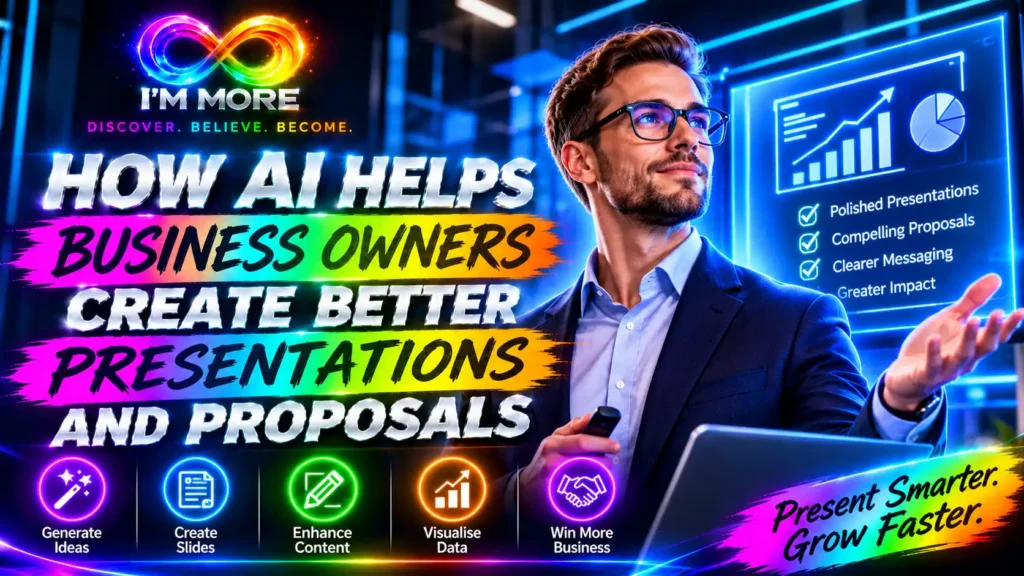
Good slide design is not about filling every space with text, animation or decoration. It is about helping people understand and remember the main points. AI-powered presentation tools can help generate a first draft, suggest layouts, create images, summarise content and make speaker notes.
For example, Google explains that Gemini in Slides can help generate slides, create visuals, summarise a presentation and use relevant information from files in Google Drive. You can explore the current capabilities in Google’s guide to AI for presentations.
Microsoft’s Copilot features in PowerPoint can also help users create, edit and restructure presentation content. Its guidance covers using Copilot to build a new presentation and refine existing slides: Create a presentation with Copilot in PowerPoint.
These tools can be useful starting points, but the first version should always be reviewed. Check that the design matches your brand, that the slides follow a sensible story and that charts or images genuinely help explain the message. A clean, consistent deck is usually more effective than a crowded one.
4. Writing proposals that explain value, not just services
A proposal should do more than list what your business sells. It should show that you understand the customer’s situation and have thought carefully about how to help. This is where AI can support the writing process.
You can provide an AI tool with a project brief, meeting notes or a list of requirements and ask it to help draft a proposal. It might organise the response around the customer’s challenge, your recommended solution, the work involved, the timetable, the investment required and the next steps. It can also help remove repetition and make complicated explanations easier to follow.
The strongest proposals connect features to outcomes. Instead of saying that you provide monthly reporting, explain how those reports will help the client monitor progress and make better-informed decisions. Instead of listing a training session, describe the skills the team should be better equipped to use afterwards.
AI can suggest this value-focused language, but you must make sure the claims are realistic. Do not allow a tool to invent client results, testimonials, qualifications, delivery promises or savings figures. If a claim cannot be supported, remove it or qualify it.
5. Using business information to build a stronger case
Presentations and proposals are more persuasive when they are supported by relevant evidence. Depending on your business, that might include customer feedback, sales trends, delivery times, market research, case studies or a clear comparison of costs.
AI can help summarise information you provide, identify themes in feedback, turn suitable data into plain-English explanations and suggest ways to visualise findings. It can also help you identify gaps: for example, where a proposal makes a recommendation but does not yet explain the evidence behind it.
Treat AI-generated analysis as a starting point, not as proof. Check calculations against the original records, verify statistics at their source and make sure the data is current and relevant. Never present a generated figure as fact simply because it sounds plausible.
6. Preparing speaker notes and anticipating questions
A polished slide deck is only part of a successful presentation. You also need to feel prepared to explain the ideas, handle questions and guide the discussion towards a useful outcome.
AI can turn slide headings into speaker notes, suggest a concise opening, help you create a strong closing statement and generate a list of likely audience questions. You can then practise answering those questions and improve any parts of your explanation that feel unclear.
Try asking the tool to act as a challenging prospective customer, procurement manager or investor. Ask it to question your assumptions, identify missing information and point out where your proposal may be difficult to understand. This kind of practice can reveal weaknesses before the real meeting.
Do not memorise AI-written scripts word for word. Use the notes as preparation, then speak naturally and draw on your own experience. People are more likely to trust a business owner who understands their subject than someone who sounds as though they are reading a generic script.
7. Keeping your brand and business voice consistent
Every presentation and proposal is an opportunity to reinforce what your business stands for. Consistent language, colours, fonts, imagery and tone help people recognise your brand and understand the experience they can expect.
You can give an AI tool examples of approved business content and ask it to follow your preferred tone. You can also provide brand guidelines, a presentation template or examples of previous proposals, where the tool and your organisation’s data policies allow it. Microsoft describes how Copilot can support the creation and editing of presentations, including the use of brand assets and templates, in its PowerPoint Copilot guidance.
Before sharing anything externally, check that the document uses the correct logo, contact details, terminology and formatting. AI can help with consistency, but it cannot know which version of your brand assets is approved unless you provide the right material.
8. Important checks before you send or present
AI-generated material can contain mistakes, outdated information, unsuitable wording or details that were never supplied. A confident tone does not guarantee accuracy. Build a review stage into your process.
Check every statistic, quotation, date, name, calculation and external claim against a reliable source.
Confirm that prices, deliverables, deadlines, payment terms and responsibilities match what you have actually agreed.
Remove confidential customer, employee or commercially sensitive information unless you are using an approved tool and have permission to share it.
Check that images, charts and examples are accurate, appropriate and licensed for your intended use.
Read the whole document from the audience’s point of view: is the purpose clear, is the benefit obvious and is the next step easy to understand?
For a broader approach to managing AI-related risks, the NIST AI Risk Management Framework provides guidance that organisations can use to think about the responsible development and use of AI.
9. A simple workflow business owners can use
You do not need to hand the entire task over to AI. A simple workflow can give you the benefits while keeping your expertise at the centre:
Start with the outcome. Write down what you want the audience to understand, decide or do.
Gather the facts. Collect the brief, relevant data, customer requirements, approved pricing and brand material.
Ask AI for a structure. Request an outline for the presentation or proposal, tailored to the audience and purpose.
Build and refine the draft. Use AI to improve clarity, suggest visuals, summarise information and prepare speaker notes.
Review the substance. Check accuracy, evidence, promises, confidentiality and commercial details.
Make it yours. Add your experience, examples, judgement and the human understanding that makes the offer credible.
Finish with a clear next step. Tell the audience exactly what you would like them to do next and how to respond.
Conclusion: better preparation creates better conversations
AI gives business owners another way to prepare for important conversations. It can help organise ideas, tailor messages, draft proposals, create slides, analyse information and practise for questions. That can reduce the time spent wrestling with a blank page and create more space for the parts of business communication that matter most: understanding people, explaining value and building trust.
But the best presentation is not necessarily the one with the most impressive graphics, and the best proposal is not the one with the most polished wording. Both are successful when they make the audience’s decision easier. Your knowledge, judgement and relationships remain essential. Let AI help you prepare the material; use your experience to make it meaningful.
The opportunity is straightforward: combine the speed of AI with the insight of the business owner. With the right checks and a clear purpose, you can present your ideas with greater confidence and give every proposal a stronger chance of being understood.