
Introduction: Innovation works best when people feel safe
Artificial intelligence (AI) is becoming part of everyday work. It can help people draft emails, summarise documents, explore ideas, organise information and complete routine tasks more efficiently. But using AI at work also raises important questions: Is the information safe? Is the answer accurate? Are we allowed to share this material? And who is responsible if something goes wrong?
Using AI safely does not mean avoiding it altogether. It means understanding the risks, following sensible rules and keeping people accountable. When organisations combine useful technology with clear guidance, they can explore new opportunities without sacrificing privacy, security or trust.
1. Know which AI tools your workplace allows
Before entering work information into an AI tool, check whether your employer has approved it. Different tools have different settings, privacy terms, storage arrangements and security controls. A tool that is fine for brainstorming a public-facing slogan may not be suitable for confidential customer records or internal business plans.
If your workplace has an AI policy, read it and ask your manager or IT team if anything is unclear. If no policy exists, do not assume that every publicly available tool is safe for work use. The National Cyber Security Centre’s guidance on AI and cyber security explains why organisations should understand both the benefits and the security risks of AI tools.
Practical example: using an approved assistant to draft a generic meeting agenda may be acceptable. Uploading a confidential client contract to an unapproved chatbot may not be.
2. Protect personal and confidential information
Work information can include customer names, contact details, staff records, passwords, financial information, health details, unpublished plans and commercially sensitive documents. Do not paste or upload this material into an AI tool unless the tool and use have been approved and the relevant safeguards are in place.
Share only the minimum information needed for the task. Where possible, use fictional examples or remove details that could identify a person or organisation. Never enter passwords, authentication codes, private keys or other security credentials into an AI prompt.
The Information Commissioner’s Office explains how organisations should consider risks and responsibilities in its guidance on AI and data protection. The ICO also provides more specific advice on security and data minimisation in AI.
3. Treat AI answers as suggestions, not guaranteed facts
AI can generate useful drafts and explanations, but it can also produce false details, outdated information, invented references or confident answers that miss important context. This is sometimes called a hallucination. A fluent response is not proof that the content is correct.
Check facts against reliable sources before using the output in reports, customer communications, presentations or decisions. Pay particular attention to figures, dates, legal requirements, financial information, technical instructions and statements about people.
The National Cyber Security Centre’s AI and cyber security guidance highlights that AI tools can produce incorrect information and may be vulnerable to manipulation. Keep a human review step in any workflow where mistakes could cause harm, financial loss or reputational damage.
4. Watch for scams, suspicious content and manipulated instructions
AI can be used to create convincing phishing emails, fake messages, voice imitations and misleading documents. It can also be exposed to malicious instructions hidden in content it is asked to summarise or process. Do not assume that something is trustworthy simply because it looks professional or an AI tool recommends it.
Verify unusual requests—especially urgent payment instructions, changes to bank details, requests for passwords or unexpected downloads—through a separate trusted channel. Follow your workplace’s normal reporting process if you suspect a scam or security incident.
The UK’s Code of Practice for the Cyber Security of AI sets out security measures for organisations that develop and deploy AI systems. For everyday staff, the key habit is simple: pause, verify and report anything suspicious rather than acting under pressure.
5. Keep human judgement and accountability in the process
AI can help compare options, summarise information or suggest next steps, but it should not quietly become the final decision-maker for important workplace matters. Decisions affecting people’s jobs, opportunities, access to services or wellbeing need appropriate oversight and a clear person responsible for the outcome.
The UK Government’s Data and AI Ethics Framework says people should be able to monitor and influence systems, and that organisations should retain responsibility for decisions supported by AI. In practice, this means checking recommendations, considering bias and giving people a way to raise concerns or challenge mistakes.
Practical example: AI might help organise job applications against stated criteria, but a trained recruiter should check the evidence, assess fairness and remain responsible for the hiring decision.
6. Be transparent and respect other people’s work
Trust can be damaged when AI use is hidden, misrepresented or used to pass off unverified material as someone’s own work. Follow your employer’s rules about disclosure, record-keeping and the use of AI-generated content. If a client, colleague or manager needs to know that AI contributed to an important deliverable, be open about it.
Check the accuracy and permissions of text, images, code and other material before sharing it. Do not assume generated content is automatically original, suitable or free from rights issues. Keep confidential information out of public prompts, and do not use AI to create misleading records, fake testimonials or fabricated evidence.
Transparency does not need to be complicated. A short note explaining that AI helped produce a first draft, followed by human checking and editing, can help colleagues understand how the work was prepared.
7. Build safe habits into everyday work
Safe AI use becomes easier when teams have clear, repeatable habits rather than relying on memory or guesswork. Before using a tool, take a moment to ask what information you are sharing, what you need from the tool and how you will check the result.
Try these habits:
- Use only workplace-approved AI tools for work tasks.
• Remove personal, confidential or identifying information unless its use is explicitly approved.
• Check important claims against reliable sources.
• Review tone, context, bias and possible errors before sharing outputs.
• Do not let AI make high-impact decisions without appropriate human oversight.
• Report suspected data leaks, suspicious outputs or security incidents promptly.
• Ask for guidance when the rules or risks are unclear.
The ICO’s AI guidance for organisations and the NCSC’s cyber security advice are useful starting points for developing workplace rules and staff awareness.
8. A quick safety check before you press Enter
Before sending a prompt or using an AI-generated result, ask yourself:
- Am I using an approved tool for this task?
• Have I kept personal and confidential information safe?
• Could this prompt or file expose a customer, colleague or the organisation?
• Have I checked whether the answer is accurate and current?
• Could the result be biased, misleading or unfair?
• Does a person need to review or approve this output?
• Would I be comfortable explaining how I used AI if asked?
If you are unsure, stop and check with the appropriate person in your organisation. A short pause can prevent a much bigger problem.
Conclusion: Trust is everyone’s responsibility
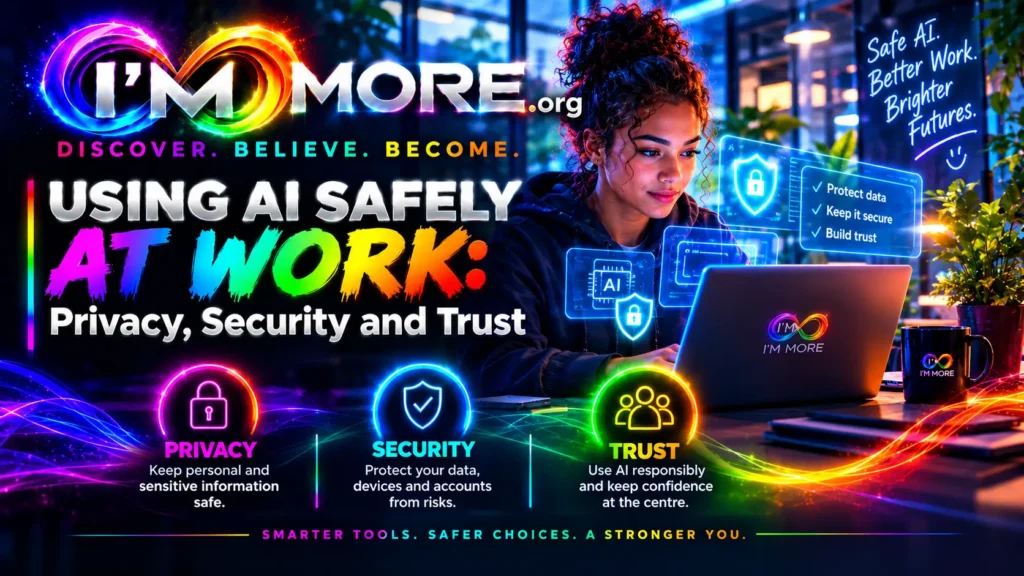
AI can help people work smarter, communicate more clearly and make time for tasks that need human creativity and judgement. But its benefits depend on how responsibly it is used. Privacy, security and trust are not obstacles to innovation; they are part of making innovation sustainable.
Choose approved tools, protect sensitive information, verify important answers and keep people accountable for decisions. Speak up when something seems wrong, and treat colleagues and customers with the same care you would expect for yourself.
Using AI safely is not about being afraid of technology. It is about being confident enough to use it wisely.
You’ve been reading a story created as part of The Voice by I’M MORE, where young people aged 18–24 are encouraged to share ideas, experiences and perspectives while developing confidence, courage, direction, new skills and personal growth. Explore more stories from The Voice here, discover more about the work and mission of I’M MORE here, take a look at my story here https://immore.org/category/tech-wiz as I talk all about AI. Every voice matters, every experience can teach us something, and every person has more potential within them than they may yet realise.
IM MORE — Discover. Believe. Become. Unlocking Potential, Changing Futures.