Introduction: Your Ideas Have a Place in the Digital World
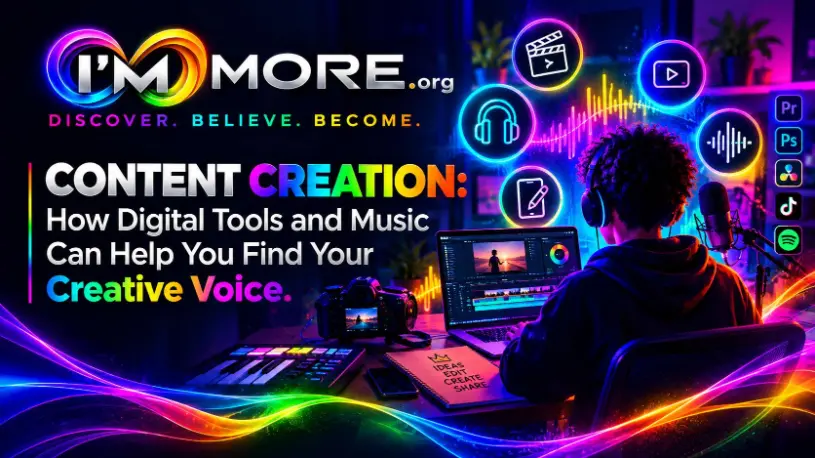
Content creation is now part of how people communicate, learn, entertain, build communities and share their ideas. A short video, a podcast, a photograph, a beat, a song or a social media post can introduce an idea to an audience and give a creator a way to express who they are.
Exploring content creation resources can help beginners learn digital skills, develop creative ideas and build confidence.
For young people and anyone exploring a creative future, digital content and music can be more than hobbies. They can help develop communication, storytelling, technical skills, confidence and teamwork. They may also lead towards opportunities in media, marketing, design, music production, broadcasting or self-employment. You can explore further opportunities to develop practical skills through I’M MORE’s employment and training resources.
Getting started can feel confusing. There are many platforms, editing tools, music applications and tutorials, and it is easy to believe you need expensive equipment or thousands of followers to make something worthwhile. In reality, the best starting point is often a clear idea, a willingness to practise and a few accessible resources.
This article explores how digital creativity and musical influences can work together, where to learn, what support may be available and how to create responsibly. The aim is not to become famous overnight. It is to develop your voice, build your skills and turn inspiration into something of your own.
1. Understand What Content Creation Means
Content creation is the process of planning, making and sharing material for a particular audience or purpose. It can include writing articles, filming videos, creating graphics, producing podcasts, streaming, photography, animation, songwriting and making music.
Different formats build different skills. Video creation develops planning, filming, editing and presentation. Podcasting strengthens research, interviewing and audio editing. Graphic design develops visual communication. Music production builds listening skills, rhythm, arrangement, technical knowledge and patience. Writing and blogging improve communication, research and storytelling.
You do not have to choose one format forever. You might start by making short videos, then discover that you enjoy editing soundtracks or designing cover art. Experimenting helps you find what interests you and what you want to improve. Ask yourself: what do I want to communicate, and what skills would help me communicate it?
2. Digital Influences: Learn from What You See and Hear
Digital platforms give creators access to a huge range of ideas, styles and communities. You can study how a video uses lighting, how a creator tells a story, how a podcast keeps a conversation moving or how a designer uses colour and typography.
Treat the content you enjoy as a learning resource. Ask what makes it engaging, who it is intended for, how it begins, what keeps your attention, how sound and images work together, and what you can learn from the structure without copying the work.
Algorithms can repeatedly show you similar content, so deliberately explore different genres, cultures, viewpoints and creative techniques. A wider range of influences can help you develop a more distinctive approach. Remember that online popularity is not the same as quality, and follower counts do not measure your worth as a creator.
Seeing polished work can motivate you, but it can also make your first attempts feel inadequate. Many finished pieces are the result of practice, editing, collaboration and repeated attempts. Compare your current skills with your own earlier work, not just with somebody else’s best public result. You can explore more articles about creativity, confidence and personal development through The Voice.
3. Musical Influences: Turn Inspiration into Your Own Sound
Music can give digital content mood, pace, identity and emotional impact. A soundtrack can make a video feel energetic, reflective, tense or uplifting. A podcast may use a short introduction theme to establish its identity, while a creator may use original beats or sound design to make a project feel recognisable.
Listen closely to songs you admire. Notice the tempo, rhythm, instruments, structure, production choices and how the different elements fit together. Then experiment with a different rhythm or arrangement in your own work.
Digital audio workstations and music-making applications can help beginners explore beats, recording, sampling, editing and mixing. Some tools are free or offer starter versions, while others require payment or subscriptions. Check system requirements, accessibility, licensing terms and whether a tool suits your device and goals.
Influence is not the same as copying. Learn from genres, techniques and artists, but aim to make original creative choices. If you sample a recording, use lyrics or include a commercially released track in a video, check permissions and platform rules first. Giving credit is not a substitute for permission.
4. What Resources Are Available?
Accessible resources can help you develop skills without immediately investing in expensive equipment.
Canva can help you create social media graphics, posters, thumbnails, presentations and simple visual identities. Audacity lets beginners record, cut, organise and edit audio for voice recordings, interviews and podcasts. BandLab offers digital music-making and collaboration tools; check its current features and terms before use.
Other useful places to look include schools, colleges and universities offering media, music technology or creative arts courses; public libraries with digital resources and workshops; youth centres and community organisations offering mentoring or creative sessions; and structured online tutorials from reputable educators. Local music groups, filmmaking clubs and arts networks may help you meet collaborators.
Availability, costs and eligibility vary, so check with individual providers. You do not need every tool at once. Choose one that fits your current project and build from there. You can also explore I’M MORE’s on-demand training to learn more about developing skills and confidence.
5. Create with Purpose: Know Your Audience and Your Message
Before you open an editing application or start recording, decide what you want your content to achieve. Are you sharing a personal story, teaching a skill, promoting a project, entertaining an audience or exploring a musical idea?
Think about who the content is for and what you want them to take away. A short video aimed at beginners may need simple language and clear steps. A music track might be built around a mood or story. A podcast may need a strong question and a plan for the conversation.
Make a simple creative brief: the idea, audience, key message, format, resources needed and a realistic deadline. If you are working with others, agree roles, credit, deadlines and how the finished work may be shared.
6. Protect Your Work, Your Privacy and Your Reputation
Creators should understand the basics of copyright, consent and online safety. In the UK, original creative work such as writing, photographs, videos, recordings and music may be protected by copyright. Content being available online does not automatically mean you can reuse it.
The government’s copyright guidance explains how copyright applies and why creators should check permissions and licences: UK Government copyright guidance.
Use your own material where possible, or choose assets with a licence that permits your intended use. Some licences restrict commercial use, editing or redistribution. Keep a record of the source and licence, and seek permission where needed. Music can involve separate rights in a composition and a particular sound recording. PPL and PRS for Music explain different music rights and licensing arrangements. The permissions you need depend on how and where the music will be used.
Get consent before filming or recording other people. Be careful about sharing personal information, locations or school details. Use strong passwords and review privacy settings. Check the rules of your school, college, employer or platform before publishing. Responsible practice is part of being a professional creator.
7. Build Skills by Making, Reviewing and Improving
One of the most effective ways to learn is to complete small projects. Create a 30-second video, design a simple poster, record a short podcast introduction or produce a short original beat. Keep the scope manageable so you can finish and learn from the result.
After each project, review what worked, what was difficult and what you want to try next. Ask for specific feedback, such as whether the message was clear, the audio was easy to hear or the design was readable on a phone. Useful feedback explains why something works or what could improve.
Save versions of your work so you can see your progress. Build a portfolio of selected projects and explain your role in each one. This can help you demonstrate skills when applying for courses, volunteering, internships, jobs or freelance opportunities.
Consistency matters more than trying to produce something perfect every time. A realistic routine—such as one small project each week—can help you practise without burning out.
8. Your Content Creation Action Plan
Step 1 — Discover: Choose a format that interests you: video, design, writing, podcasting or music.
Step 2 — Listen: Study three creators or artists. Note the techniques you admire and what makes each example effective.
Step 3 — Learn: Pick one skill to practise, such as cutting video, balancing audio, creating a graphic or arranging a beat. Use a reliable tutorial or course.
Step 4 — Create: Make a small original project using tools you can access now.
Step 5 — Check: Review sound, image quality, accessibility, copyright, consent and privacy before sharing.
Step 6 — Share thoughtfully: Publish only where you feel comfortable and use privacy settings that suit your situation. You can also keep work private or share it with a trusted mentor for feedback.
Step 7 — Improve: Record what you learned and choose the next skill to develop.
Step 8 — Explore support: Ask a teacher, youth worker, librarian, music tutor or local creative organisation about equipment, training, mentoring and opportunities.
Conclusion: Your Creativity Can Open New Doors
Digital content creation and music offer ways to express ideas, connect with others and develop skills that can be useful in education, employment and personal life. You do not need the most expensive equipment, a large audience or a perfect first attempt. You need curiosity, practice and a willingness to learn.
Use digital influences as inspiration, explore music with a critical ear, make original choices and learn how to protect both your work and other people’s rights. Seek out resources and support when you need them, and give yourself room to improve.
At IM MORE, personal growth starts with discovering what interests you, believing that your skills can develop and becoming more prepared to take opportunities. Your first project does not have to be your masterpiece. It simply has to be a beginning. Discover more about our mission and opportunities through I’M MORE.
IM MORE — Discover. Believe. Become.